

Free 4K Background Remover: Remove BG Online without Losing Quality
Looking for a free 4K background remover? This guide offers the best two options with a step-by-step tutorial to help you remove backgrounds from 4K images without quality loss.

By Jonna Updated on May 20, 2026


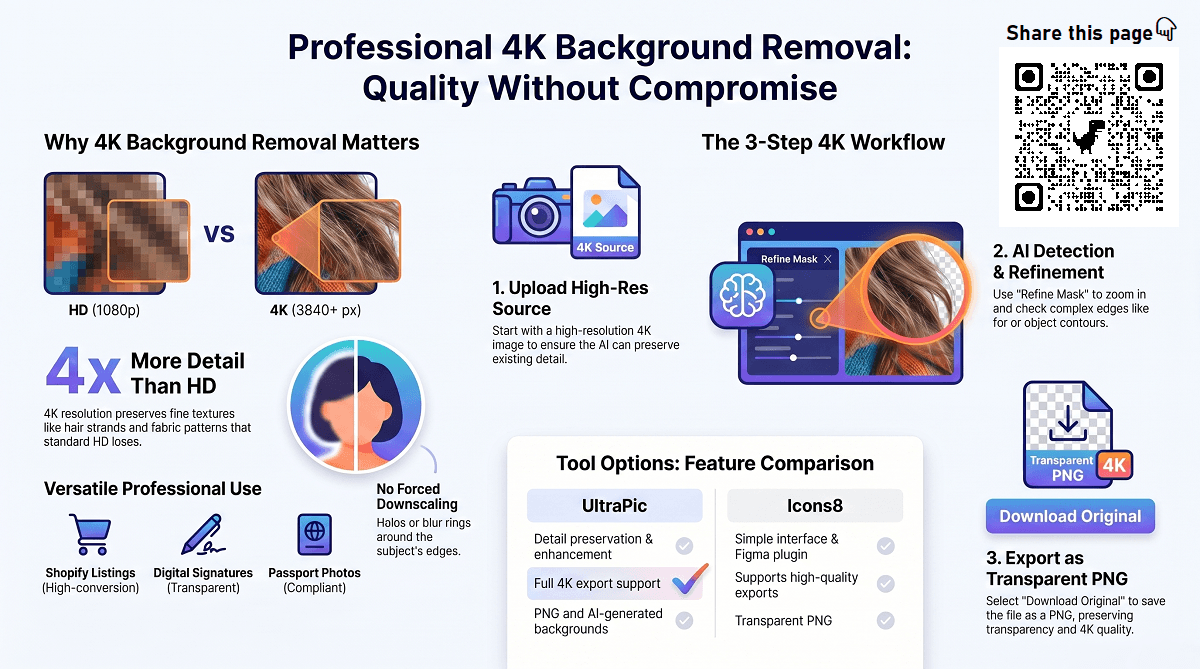
A 4K background remover is a tool designed to separate a subject from its background while preserving ultra-high-definition resolution. 4K typically refers to images with a width of around 3840 pixels, offering four times the detail of standard HD. Removing a background at this level is very different from editing small, compressed photos. So, how do I find reliable AI background remover tools for 4K images? On this page, we will show you 2 options for the background remover 4K free.
Traditional background removal tools often downscale images during processing. That’s fine for thumbnails, but it ruins professional work. A true free 4K background remover processes images at full resolution, maintaining sharp edges, texture, and fine details like hair strands or fabric patterns. Let's get down to business now.
Option 1. Free 4K Background Remover Online - UltraPic
So, what is the best 4K image background remover? How to remove background without affecting quality? UltraPic is an online, AI-powered background removal and image enhancement tool built to handle high-resolution images. Unlike many free tools that quietly downscale outputs, UltraPic focuses on preserving detail, making it a strong candidate for anyone seeking a free high resolution image background remover.

Remove Backgrounds from Images in Seconds
Get clean, conversion-ready product photos instantly with AI.
- 100% automatic background removal for product pics
- Preserve every detail, keep edges sharp and clean
- Make product listings look polished to boost sales
- Save hours of manual editing using our AI tool now


This tool uses advanced edge detection and segmentation algorithms trained on high-resolution visual data. This allows it to remove backgrounds from portraits, fashion photography, accessories, pets, commercial product photos, and other complex subjects while keeping 4K sharpness intact. Here's what makes UltraPic stand out as a free 4K background remover:
✅ High-Resolution Processing & Export: Images are processed at their original resolution, including 4K inputs.
✅ Advanced AI Edge Detection: Accurately preserves hair, fur, and fine textures, and makes any picture transparent.
✅ No Forced Downscaling: Output resolution matches the input image. No halos, blur rings, or pixel smearing around edges.
✅ Transparent Background Export: Supports PNG and other formats suitable for professional workflows.
How to Remove Background: Erase BG & 4K Image Output
Using the UltraPic HD background remover with 4K output is simple. Here is a step-by-step guide on removing background with 4K output:
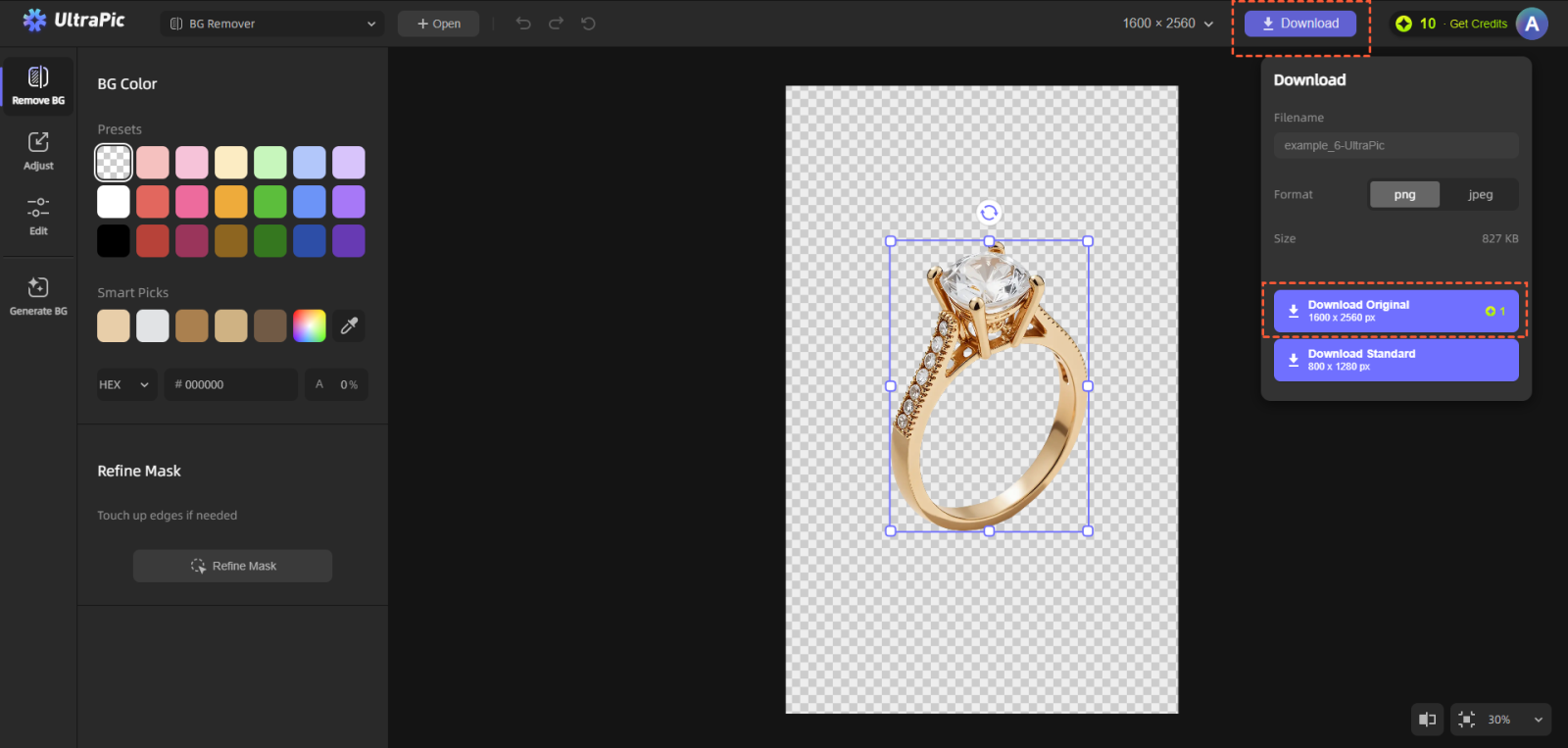
Step 1. Prepare a high-resolution image. Use a high-resolution image with clear subject separation.
Step 2. Upload the Image to UltraPic. Open UltraPic Background Remover in your browser and upload the image.
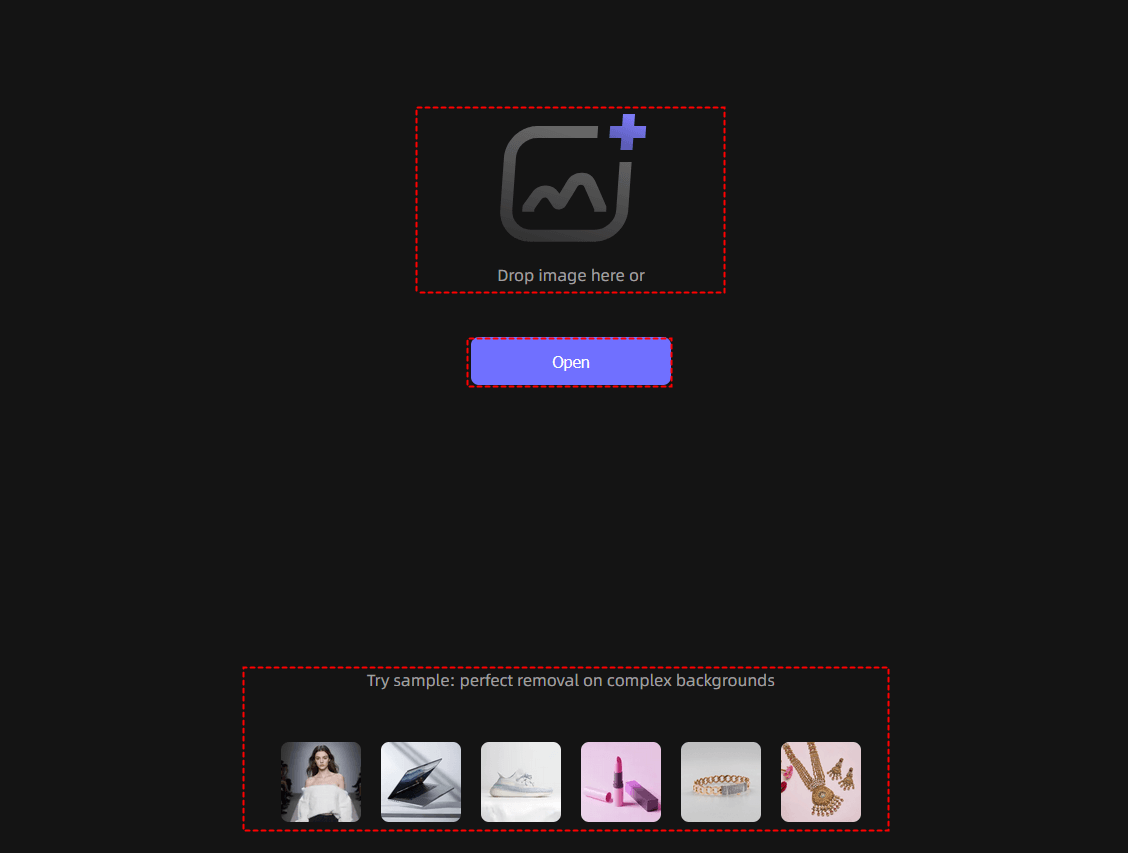
Step 3. AI Background Detection & Removal. It automatically analyzes the image and separates the subject from the background. The AI works at full resolution, not a compressed preview.
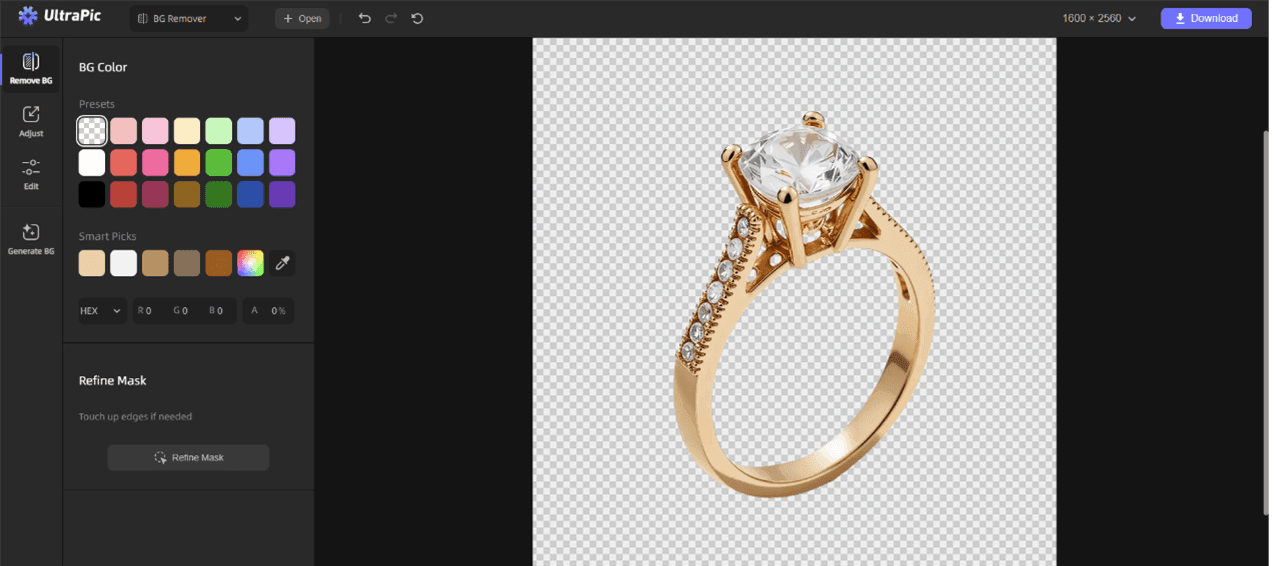
Step 4. Background Replacement (Optional). You can zoom in to check details like hair edges, object contours, and use Refine Mask to add or subtract from the selection. And you can replace the background by clicking Generate BG on the left to create a new background with the UltraPic Background Generator.
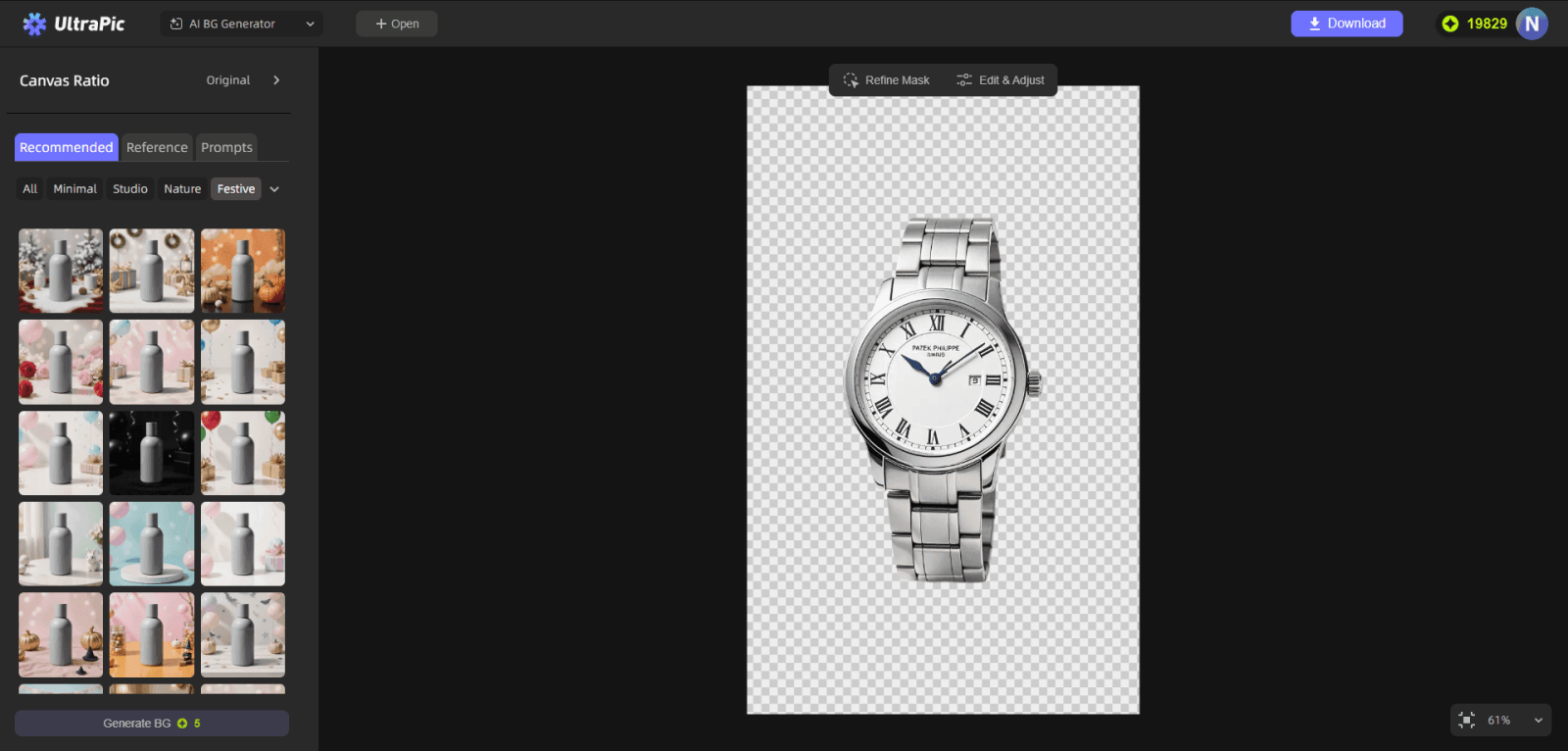
Step 5. Export 4K Image. Click Download > Download Original to export the image with its original quality and a transparent background.
Option 2. Icons8 Background Remover
Icons8 Background Remover is another excellent choice for users who want fast AI-based editing with minimal effort. The platform is known for its clean interface and reliable object detection technology.
One of the major advantages of Icons8 is that it can work as a Figma plugin, which is 100% free to remove background from one or many images at once. It works particularly well for social media creators and eCommerce businesses that need large batches of edited images quickly. Here is how to remove background from picture in Figma using this 4K background remover free:
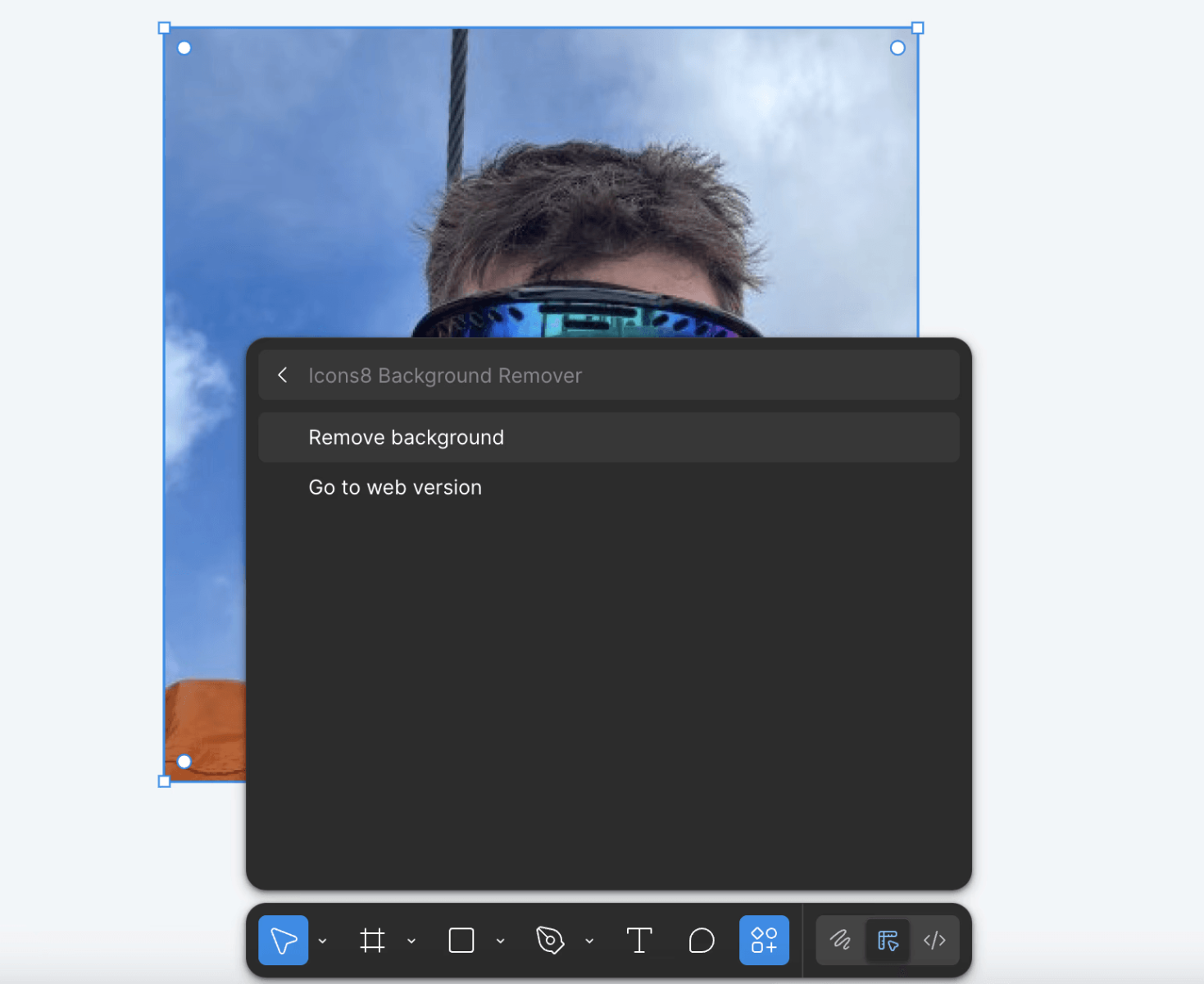
Step 1. Open Figma, go to Resources, and search for Icons8 Background Remover to get it installed.
Step 2. Add an image for background removal, search for the Icons8 Background Remover plugin, and select Remove background.
📣Here is a simple comparison of the above image background remover 4K free:
|
Feature |
UltraPic |
Icons8 Background Remover |
|
Ease of Use |
Very beginner-friendly |
Simple and clean interface |
|
Background Detection |
Automatic AI subject recognition |
Automatic AI background removal |
|
4K Export Support |
Yes, supports 4K output |
Supports high-quality exports |
|
Edge Accuracy |
Strong detail preservation, including hair edges |
Good edge refinement and consistency |
|
Output Format |
Transparent PNG and edited images |
Transparent PNG |
|
Editing Flexibility |
BG removal, photo retouching, and photo enhancement |
Mainly focused on background removal |
|
Batch Processing |
Yes |
Yes |
What to Do with Free 4K Background Remover?
Transparent images and clean backgrounds improve visual consistency across almost every digital platform. From personal documents to business branding, background-free images help create cleaner and more professional results. Here are some scenarios where the free 4K image background remover might be useful.
#1. Use as Passport Photo Background Remover
Passport and ID photos often require plain white or light-colored backgrounds that meet strict government guidelines. Unfortunately, many casual photos contain shadows, objects, or distracting scenery. A passport photo background remover can help transform an ordinary image into a compliant passport-style photo quickly. Instead of visiting expensive photo studios repeatedly, users can prepare suitable passport photos directly from home. The benefits include:
- Fast white background replacement
- Better subject isolation
- Improved lighting presentation
- Cleaner official photo appearance
- Reduced editing costs
#2. Remove BG from Signature
Digital signatures are frequently needed for contracts, invoices, forms, and business documents. However, scanned signatures often include paper shadows or unwanted backgrounds. A background remover can isolate the signature and create a transparent PNG file for professional document use. Instead of manually cutting out signatures in editing software, AI tools can process them instantly. This offers several benefits:
- Cleaner document appearance
- Faster digital signing
- Easier integration into PDFs
- Better visual professionalism
- Reusable transparent signature files
#3. Use as Shopify Background Remover
In eCommerce, product presentation directly impacts conversions. Shoppers are more likely to trust stores that display professional-looking product photos. A cluttered background can distract customers and reduce perceived product quality. That is why Shopify sellers often use AI Shopify background removers to create consistent visual branding. Product images with transparent or clean white backgrounds offer several advantages:
- Improved professionalism
- Better visual consistency
- Increased customer trust
- Easier ad design integration
- Cleaner marketplace listings
How to Use 4K Background Remover to Enhance Photos
1. Always start with the highest-resolution source image
A 4K background remover can only preserve what already exists. If the original image is low quality, even the best AI can’t magically restore lost detail.
2. Zoom in to check edges before final export
At 4K resolution, tiny imperfections become visible, especially around hair, fur, transparent objects, and product edges.
3. Choose the right output format to preserve quality
Exporting the wrong file format can quietly ruin all the benefits of 4K processing. Recommended formats:
- PNG for transparency and maximum detail
- WebP (lossless) for smaller file sizes without quality loss
4. Use clean, minimal backgrounds to highlight the subject
A 4K background remover shines when paired with thoughtful background choices. Overly busy replacements can distract from the subject, even at high resolution.Some background tips:
- Solid or gradient colors for portraits
- Soft blur studio backgrounds for products
- Neutral tones that contrast gently with the subject
5. Combine background removal with light enhancement
After removing the background, subtle adjustments to brightness, contrast, or sharpness can elevate the image. Avoid aggressive filters or smoothing effects, as they can make a 4K photo look artificial and reduce its professional impact.
FAQs on Photo Background Removal with 4K Quality
#1. What file format is best for background removal?
PNG is generally the best format for background removal because it supports transparency and preserves detail without compression artifacts. For workflows that require layered editing, formats that retain alpha channels are essential.
JPEG is acceptable for initial uploads, but final exports should ideally be PNG when transparency or maximum quality is required.
#2. What is the best photo background remover AI tool?
The best tool depends on your needs, but for high-resolution work, tools that preserve native image size are critical. UltraPic stands out as a free 4K background remover because it processes images without forced downscaling and maintains edge quality.
#3. What is the maximum resolution of background remover?
Many basic tools cap resolution at HD or slightly above. Advanced AI tools can handle much larger images, including 4K and beyond. Always check whether the tool exports at full resolution or compresses files automatically.
Conclusion
If you've ever been disappointed by blurred edges or downgraded exports, you already understand why a true free 4K background remover matters.
By using a tool like UltraPic that respects native resolution, preserves fine details, and avoids hidden compression, you can confidently remove background from 4K images without sacrificing quality. Whether you’re working on professional designs, product visuals, or creative projects, the right background remover turns 4K images into clean, flexible assets, ready for any use.
Also, this tool comes with other photo editing functions like watermark removal, object removal, AI generative fill, image enhancer, and so on. Just open your browser and try it directly!

