

How to Remove BG from Signature - Full Guide
This article covers how to remove BG from signature using a free online background remover, remove signature background in Word/Excel, and two other background removers with how-to guides.

By Jonna Updated on May 20, 2026


User Case: How Do I Remove the Background from a Signature?
“How can I remove the background of a scanned signature, so that only the black ink is visible, without any background? Do you guys have any suggestions?”
A clean, transparent signature can instantly elevate documents, contracts, invoices, and email communications. Yet many people still struggle with one common issue: how to remove bg from signature without ruining the handwriting or leaving ugly white boxes behind? Whether your signature was scanned from paper, exported from a phone app, or copied from an old document, the background often comes along for the ride, and that's where problems start.
In this guide, we'll walk through removing signature background step by step using multiple methods, from using an online free 4K background remover tool to removing background from signature in Word/Excel. Let's begin now!

Part 1. Transparent Signature Online Free with AI Background Remover - UltraPic
UltraPic offers one of the easiest ways to remove signature background online using an AI-powered background removal tool. It works directly in the browser and requires no design skills, making it ideal for beginners or anyone who wants fast results. It's especially useful as a signature background remover because it handles fine lines and handwritten strokes better than many generic tools.

Remove Backgrounds from Signature in Seconds
Get clean photos instantly with AI.
- Automatic background detection and removal
- Preserve fine signature details and ink strokes
- Output transparent PNG images
- No complex software installation required
- Work on scanned and photographed signatures


Step-by-step on using the free signature background remover, UltraPic, to remove bg with one click:
Step 1. Open UltraPic bg remover in your web browser, then upload your signature photo. This tool will automatically detect and remove the background, leaving only a transparent result.
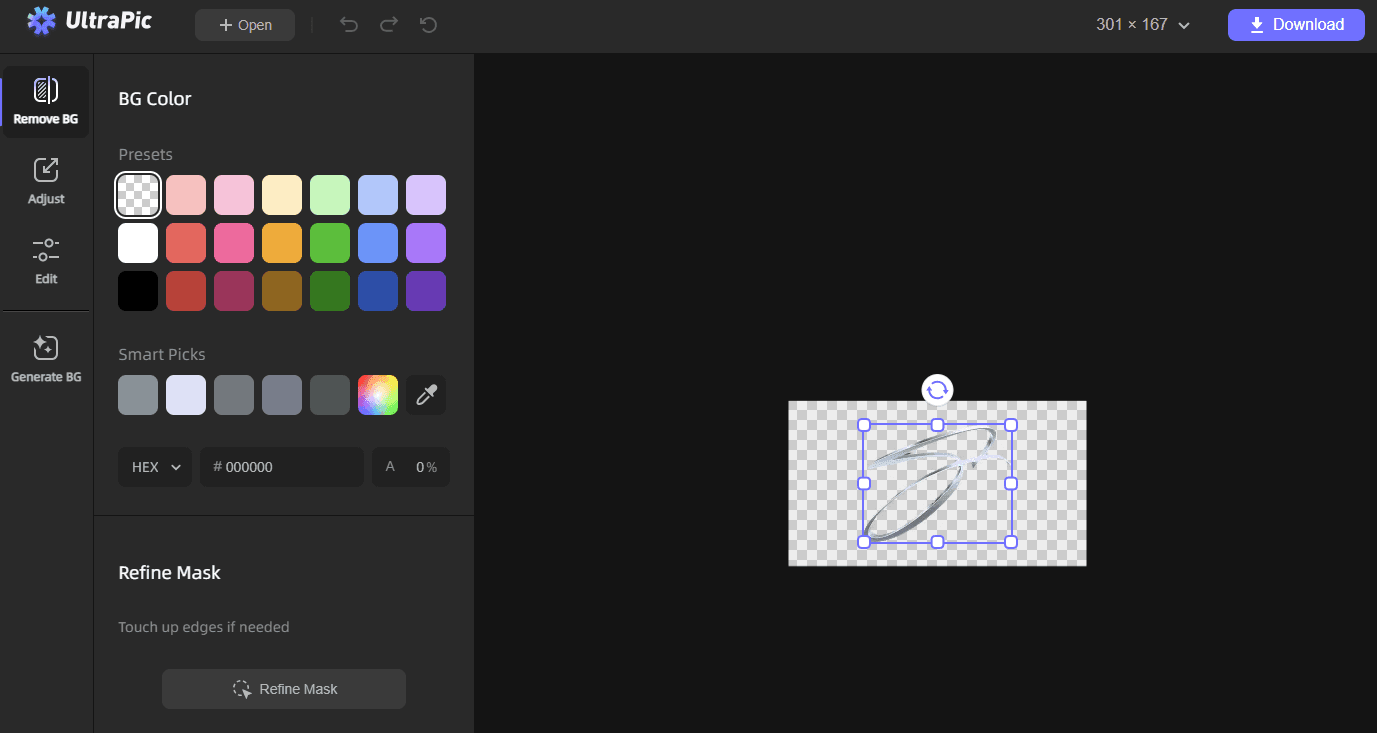
Step 2. Refine edges if needed, and click Download > Download Original to export the signature with removed bg, retaining the photo quality.
👉Tips:
▶ It is recommended to save the signature as PNG files, as PNG files support transparency and can be used anywhere.
▶ This background remover for signature allows batch processing multiple image one time, and it also comes with other features like changing background for photos, watermark removal from photos, erasing objects from images, and so on.
▶ The biggest advantage of this method is speed. Within seconds, you can remove BG from signature without manually selecting areas or adjusting layers. The exported PNG file can then be used across Word documents, PDFs, emails, and digital forms.
Part 2. How to Remove Signature Background in Word/Excel/PowerPoint
If you wish to remove background from signature directly inside Microsoft Office, like Word and Excel, there is a built-in tool that can help. But it requires that the signatures have white or solid backgrounds, dark ink on light paper, with minimal background noise. Here we take a Word file as an example:
Step 1. Open the Word file, go to Insert > Pictures to add your signature image.
Step 2. Click the image to activate the Picture Format tab, click Remove Background, and Word will automatically highlight areas it thinks should be removed.
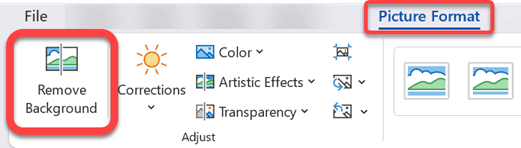
Step 3. Use Mark Areas to Keep or Mark Areas to Remove to refine the result. Click Keep Changes to finalize the transparent background.
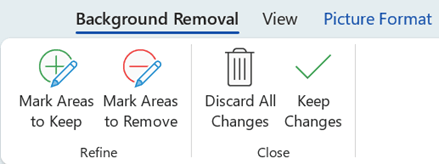
While this approach doesn't always produce perfect transparency, it’s sufficient for internal documents or quick edits. The edges may appear rough, and transparency handling isn't as precise as professional software.
Part 3. Remove Background from Signature using Canva
Canva is widely known for design, but it’s also a surprisingly capable option for removing signature backgrounds. Its interface is intuitive, making it accessible even for beginners. With its background removal feature, you can remove bg from signature and immediately place it into designs, documents, or email banners.

This method is ideal for users who want to remove bg for signature while also resizing, repositioning, or combining it with other design elements. Canva's export options ensure compatibility across multiple document formats.
Step 1. Go to Canva Background Remover, select Upload your image or drag and drop your signature image into the section.
Step 2. Select the signature image, click Edit Photo, and then tap BG Remover to remove its background.
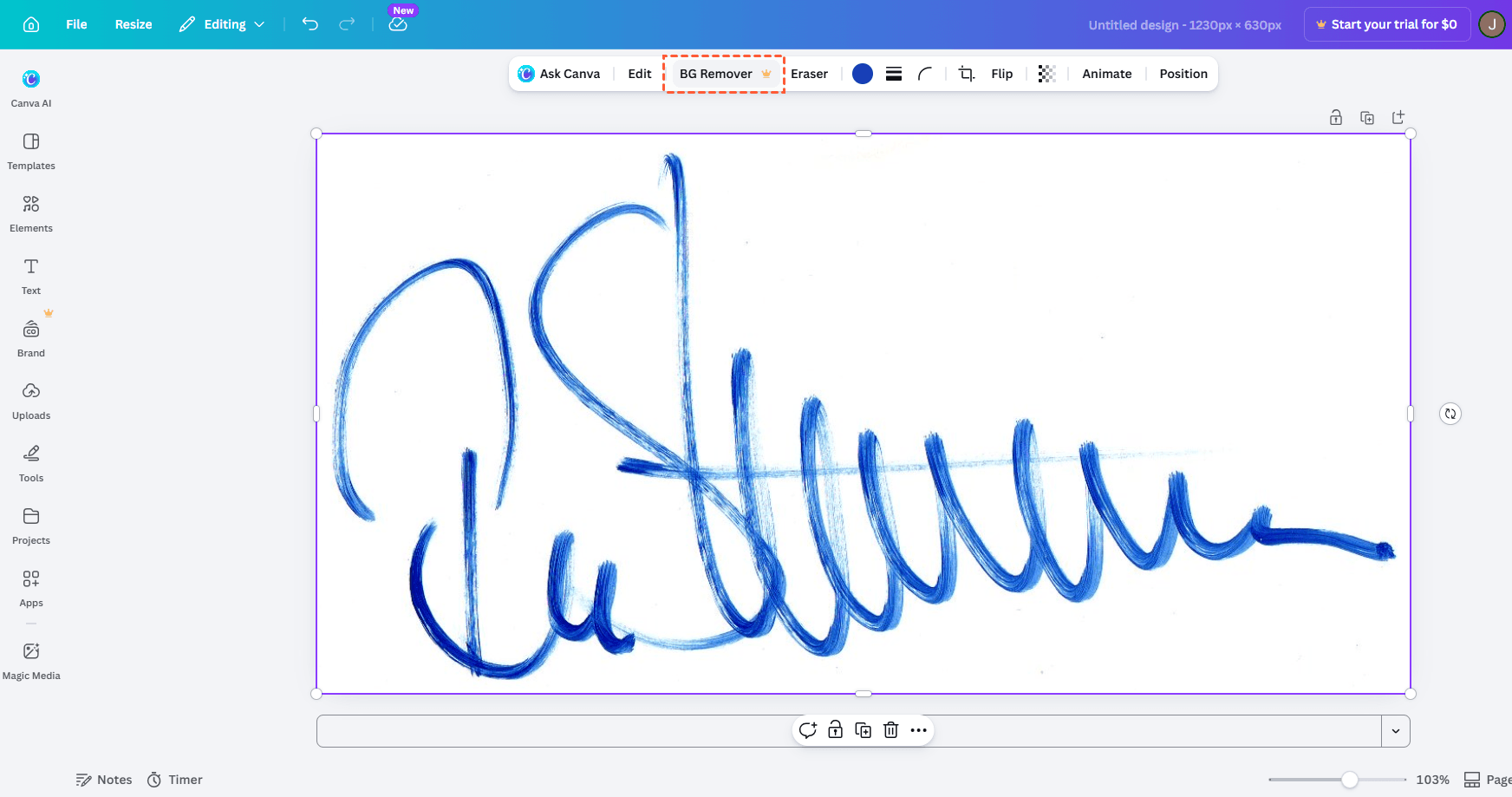
Step 3. Fine-tune the edges if necessary, then download the signature as a transparent PNG.
This method is ideal for users who want to remove bg for signature online while also resizing, repositioning, or combining it with other design elements. Canva's export options ensure compatibility across multiple document formats.
Part 4. Remove Background from Signature via Photoshop
Photoshop remains the most powerful and precise option to make signature background transparent, especially for high-resolution scans or signatures with complex backgrounds. It requires more skill but delivers professional-grade results. Here is how to use Photoshop AI to remove background for signature:
Step 1. Open Photoshop and import the scanned signature.
Step 2. You can use Levels or Curves to increase contrast between ink and background, and then use tools like Magic Wand, Select Color Range, or Quick Selection to remove the selected background or apply a layer mask.
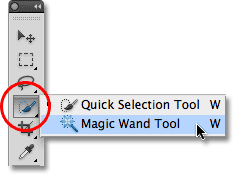
Step 3. Select Delete to remove the background and save signature with a transparent background as a PNG.
In the End
Learning how to remove bg from signature doesn't have to be complicated. The right method depends on your needs, skill level, and how often you’ll reuse the signature.
Each method on this page in this guide serves a different purpose. UltraPic, a fast, AI background remover tool, allows you to remove unwanted objects from photo with minimal effort. Word and Excel provide a quick fix using built-in tools. Canva balances ease of use with design flexibility. Photoshop delivers unmatched precision for advanced users. The best solution depends on how often you need to remove signature backgrounds and how perfect the result needs to be.

