

Photoshop Generative Fill Alternative - Top 3 Options
This guide explores 3 of the best Photoshop Generative Fill alternatives that help you extend an image or add/replace items in an image with ease. Check them now.

By Jonna Updated on June 23, 2026


Overview of Photoshop Generative Fill
Photoshop Generative Fill is Adobe's AI-powered editing feature integrated into newer versions of Photoshop. It allows you to generate or replace image content using text prompts and intelligent context analysis. Instead of manually cloning, masking, or rebuilding image areas by hand, generative fill with AI only needs to select an area and describe what should appear there, and then it generates realistic visual content automatically.
However, it still has some limitations that drive demand for a Photoshop Generative Fill alternative. For example, Photoshop Generative Fill is not available, the Adobe subscription costs a lot, there are unnatural or fake-looking details in complex scenes, and so on. So what is similar to Generative Fill in Photoshop? Below are the top 3 best AI generative fill tools.
Top 3 Best Photoshop Generative Fill Alternatives
With the following Photoshop AI Generative Fill alternative, you can simply add, remove, or replace elements within images using simple text prompts, making it simple to create realistic, high-quality edits in seconds.
UltraPic AI Generative Fill
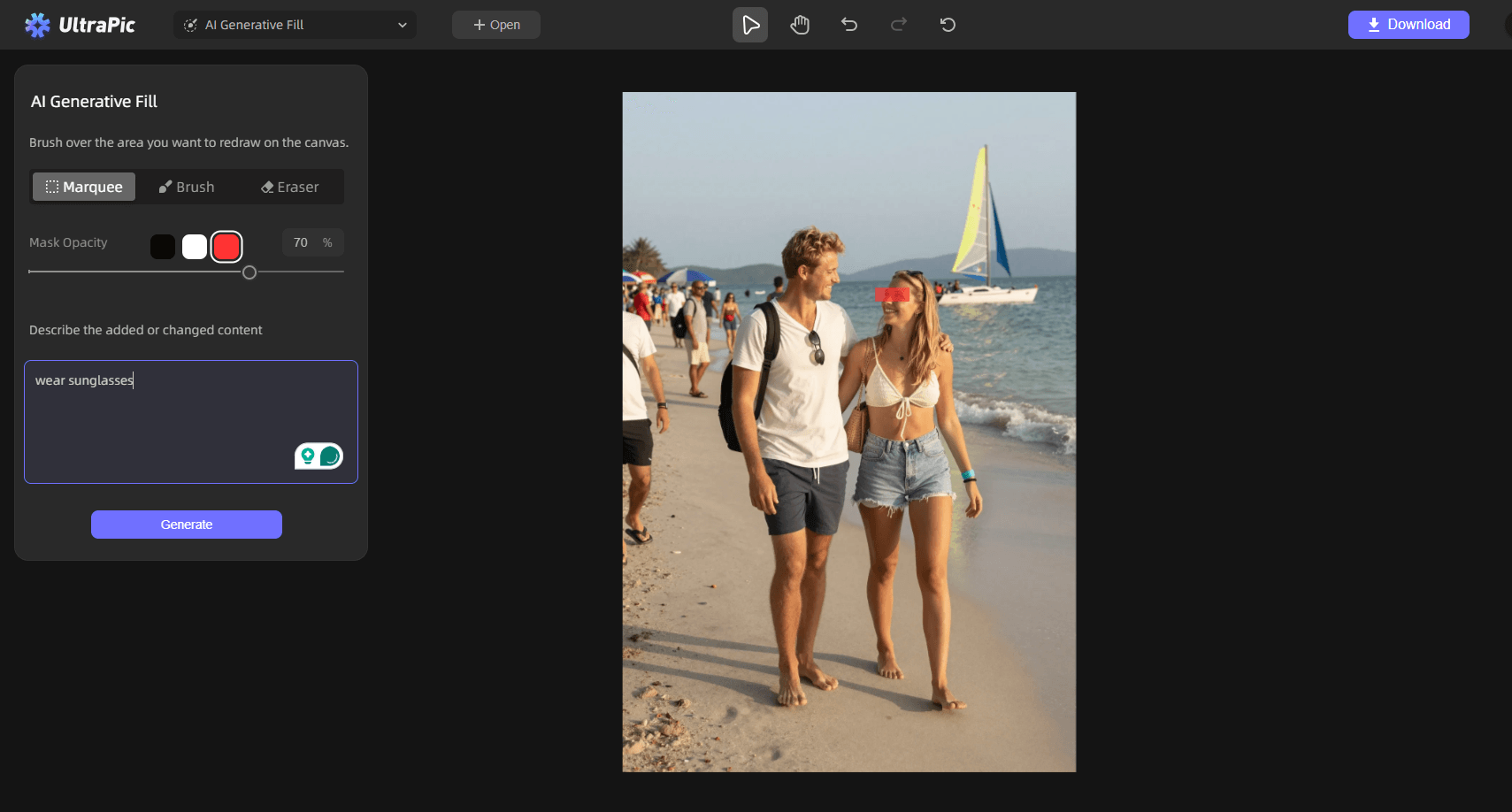
UltraPic is a free online photo editor application that comes with AI Generative Fill for quick object generation & replacement, image extending, and so on. Its AI generation engine delivers surprisingly detailed results for content replacement, object removal, and image extension tasks.

Create Studio-Quality Photos with AI
Make images polished, clean, and professional easily.
- Generative fill or replace objects in images with AI
- Remove messy backgrounds in one click effortlessly
- Generate eye-catching custom backdrops for photos
- No design or editing skills needed, instant result


Also, this free generative fill online offers Magic Eraser, Remove Watermark, Photo Retouching, and more various image editing tools. This makes it particularly useful for e-commerce editing, social media graphics, and quick visual content production.
You can simply go to the UltraPic app, select AI Generative Fill, upload your image, paint over the area to describe the added or changed content, then click Generate.
✅ Pros:
- 100% browser-based, no installation needed
- AI object removal, background removal & generator
- Fast text-to-AI feature
- High-resolution image output
❗ Cons:
- Occasional unnatural shadows in complex lighting scenes
- Limited creative editing
Canva Generative Fill
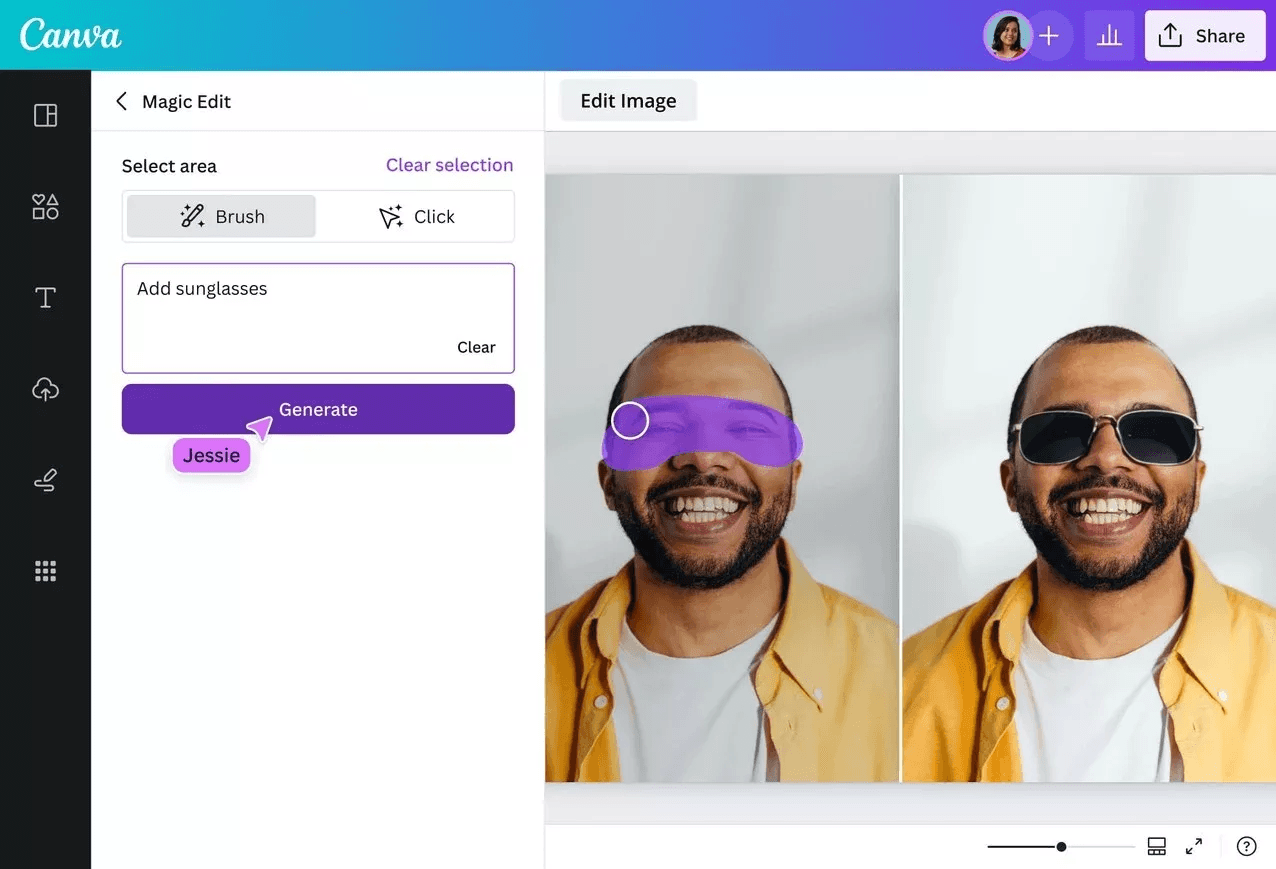
Canva Generative Fill is an AI-powered editing feature built directly into the Canva web and mobile design platform. It lets users remove unwanted objects, erase watermarks, extend images, replace backgrounds, or generate new content inside selected areas of a photo with simple text prompts.
It is designed for simplicity and speed, fully integrated with Canva’s huge library of templates, graphics, fonts, and brand kits, making it ideal for quick social media visuals, marketing posts, product mockups, and casual photo retouching.
Just go to the Photoshop Generative Fill replacement Canva AI Generative Fill, upload the photo, select Magic Edit under Tools, and describe the edit according to your needs.
✅ Pros:
- Deep integration with Canva’s full design ecosystem
- Extremely user-friendly for beginners
- Non-destructive editing with easy undo/redo
❗ Cons:
- Available only on the paid plans
- Limited precision control over selection and generation
Photopea Generative Fill
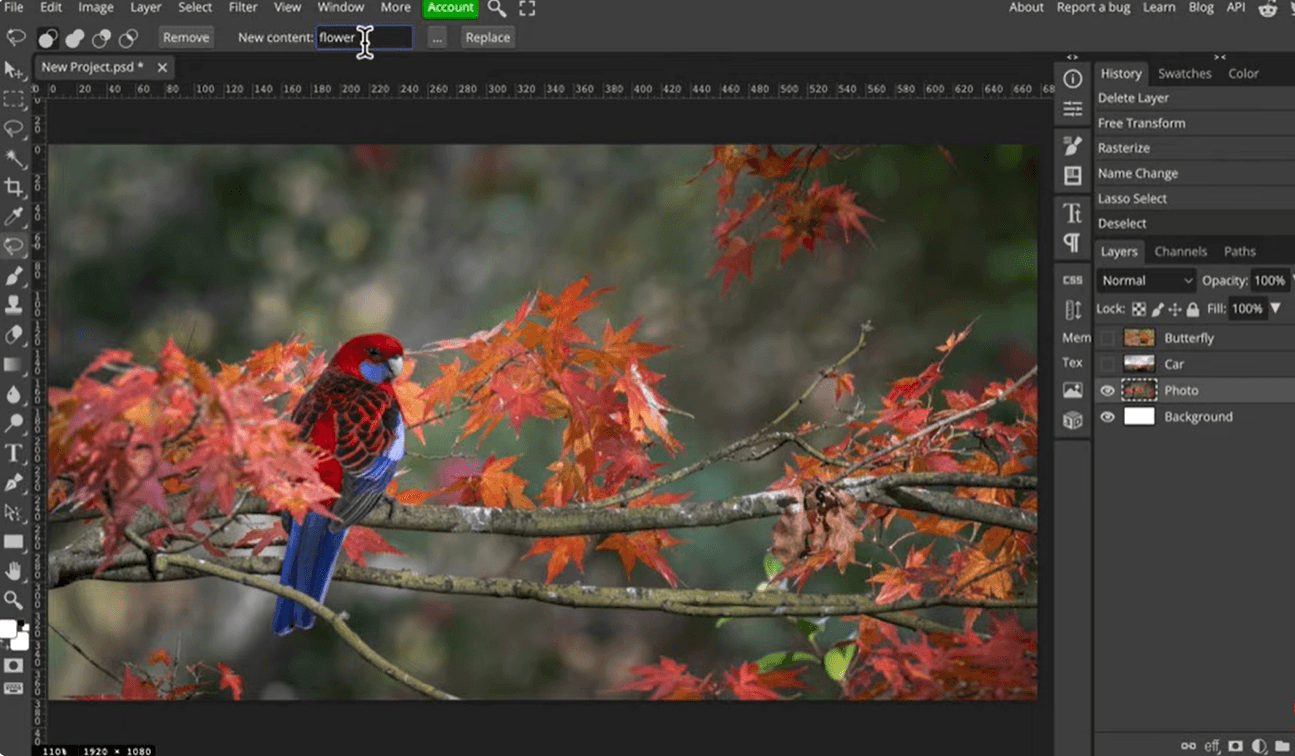
Photopea is a web-based photo and graphics editor that includes spot healing, clone stamp healing brush, patch, and various image editing tools. It offers AI features such as object replacement, generative fill, image generation, and one-click background removal.
One of its key features is its interface, which mimics that of Photoshop, making it easy for users familiar with Adobe products to transition to it. Photopea is ideal for quick edits, supports a wide range of file formats, and allows users to save files directly to cloud storage services like Dropbox or Google Drive.
To use this best generative fill with AI, open Photopea in your browser, upload your image file, select the area to edit, and apply generative editing functions.
✅ Pros:
- Photoshop-like interface
- Support PSD files
- Advanced layer editing
- Free browser-based access
❗ Cons:
- Steeper learning curve
- Less automation
FAQs on Photoshop Generative Fill
#1. What is similar to generative fill in Photoshop?
Several AI-powered tools now offer similar functionality to Photoshop Generative Fill, like UltraPic AI Generative Fill. This platform allows you to generate, replace, add, or remove image content using artificial intelligence. It is totally free and fully browser-based, with no skill needed to use.
#2. Why is Photoshop Generative Fill not working/available?
Photoshop Generative Fill may not function correctly due to reasons like:
- Unsupported Photoshop version
- Adobe account restrictions
- Internet connectivity issues
- Regional feature limitations
- GPU compatibility problems
- Cloud service interruptions
- Beta feature availability restrictions
Because Generative Fill relies heavily on cloud-based AI processing, stable internet access is usually required.
#3. Does Photoshop have AI generative fill?
Yes, Photoshop includes AI-powered Generative Fill functionality through Adobe Firefly integration. Adobe continues expanding its AI editing ecosystem, making Photoshop increasingly automation-focused. This feature allows users to:
- Add objects
- Remove elements
- Expand backgrounds
- Replace scenery
- Generate image content using prompts
Conclusion
AI-powered editing tools are rapidly transforming how creators manipulate images, design graphics, and produce visual content. What once required advanced retouching knowledge can now be achieved through simple text prompts and automated editing workflows.
UltraPic focuses on fast AI automation, and it also delivers advanced photo editing tools like background removal and replacement, object removal, image upscaling, and so on.

