

Best 5 Free Online Watermark Removers [Image/Video]
What are the best free online watermark remove? Here are 5 popular options for photos or videos. Choose the one that suits you best.

By Jonna Updated on May 11, 2026


Download an image for inspiration, edit a video clip, or reuse an old design, only to find a distracting logo or text sitting right in the middle? That’s where a free online watermark remover comes in handy. Instead of wrestling with complex photo editing software like Photoshop, you can now clean up visuals directly in your browser - no Installation, accessible anytime, anywhere, and time-saving.
Top 5 Best Free Online Watermark Removers
Below are 5 standout tools that make removing watermarks from pictures or videos straightforward and efficient. You can pick what fits you best.
UltraPic - Best Free Online Watermark Removers for Product Images
UltraPic is a free AI watermark remover designed with e-commerce sellers and marketers in mind. If you've ever needed to remove watermark from photo online free while keeping every detail intact, this tool delivers. It uses advanced AI algorithms to identify the watermark and intelligently reconstruct the background.

Remove Watermark Easiy with AI in Seconds
Get clean, transparent photos instantly with AI.
- Remove messy backgrounds in one click effortlessly
- Preserve every detail, keep edges sharp and clean
- Generate eye-catching custom backdrops for photos
- No design or editing skills needed, instant result


This online free watermark removal app handles all various textures, fabric patterns, reflections, and gradients, remaining smooth and consistent. Upload your image and run this watermark remover to remove watermark from photo online free with no need to highlight the watermark. Within seconds, you'll have a polished result ready for use.
👉Key Features
- AI-powered detection for precise watermark removal
- One-click auto watermark removal & detail-control manual removal
- High-quality output with preserved details
- Fast processing with minimal effort
- Supports high-resolution images
- Ideal for e-commerce and product images
- Other functions include background removal (batching editor), background generation, photo retouching, object eraser, and so on.
For how to remove watermark from image using the best free watermark remover software for PC and other devices, just go to the UltraPic Watermark Remover, upload your image, and click HD Removal or Standard Removal as needed.

Apowersoft Online Watermark Remover - Best Free 4K Image/Video Remover
Apowersoft stands out as a multi-purpose free watermark remover online that supports high-resolution files, including 4K videos and high-resolution images. That's a big deal for content creators working with professional-grade media.

This best watermark remover for Mac/Windows/mobile users offers both automatic and manual removal modes. Automatic mode quickly detects watermarks, while manual mode lets you fine-tune the selection. Whether you want to remove watermark from picture files or clean up video footage, Apowersoft delivers consistent results across formats. Also, it is a batch watermark remover that allows you to upload multiple images and edit out tiled overlays simultaneously.
👉Key Features
- Supports both image and video editing
- Handles 4K resolution files
- Batch processing for multiple files
- Automatic and manual removal options
- Clean and easy-to-use interface
HitPaw Online Watermark Remover - Best AI Video Watermark Remover
HitPaw is an AI-driven free online watermark remover focused on video content. It uses motion tracking to follow and remove watermarks across frames, handling movement and changing backgrounds to ensure smooth, natural results.
Except for erasing text from video, this free online watermark remover also supports removing people, data stamps, subtitles, and so on. And it supports MP4, MOV, AVI, and various video formats.
👉Key Features
- AI-powered frame-by-frame watermark removal
- Motion tracking for consistent results
- Supports multiple video formats
- Fast processing speeds
- Minimal quality loss
Pixelbin AI Watermark Remover - Best Free Watermark Remover for Developers
Pixelbin AI Watermark Remover (officially branded as WatermarkRemover.io) is a browser-based AI tool dedicated to automatically erasing logos, text, and overlays from images. It's known for strong AI detection and clean results. It works effectively on all types of watermarks, like logos, text, and even complex watermarks that are blended into images, and it is able to maintain image quality.

What makes this online tool to remove watermark from PNG image stand out is that it supports all major backend, frontend, and mobile platforms and offers comprehensive SDKs that enable seamless integration with any stack.
👉Key Features
- Handles multiple watermarks in one image
- Preserves original dimensions & quality
- Batch editing for removing from many images (batch mode)
- Brush tool to target specific areas (for complex/partial watermarks)
Gemini Watermark Remover Online - Gemini Watermarks and Nano Banana Logo Removal
Gemini Watermark Remover is gaining traction for handling Gemini watermarks and the Nano Banana logo free online. This free watermark remover for Chrome extension is a newer but highly capable tool for challenging edits. It doesn't just erase; it rebuilds. Using contextual AI, it analyzes surrounding areas to fill in gaps naturally.
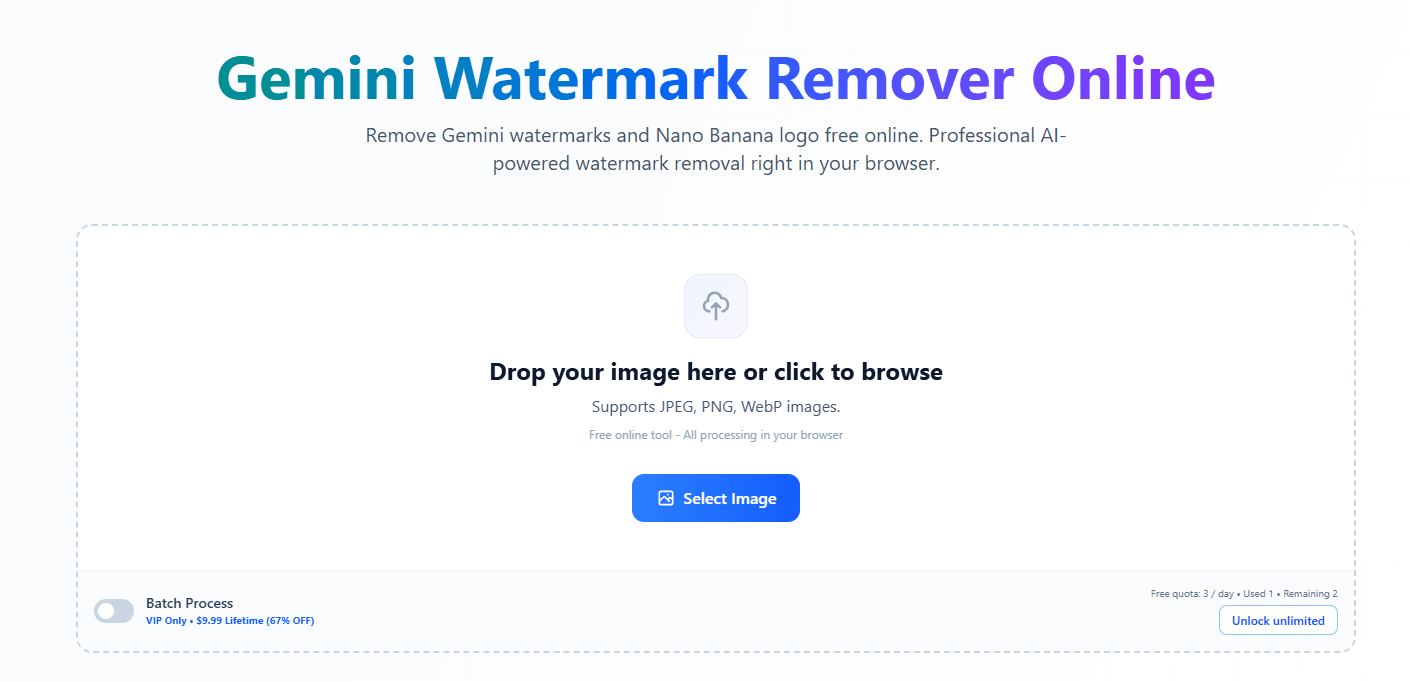
This makes it particularly effective for removing stylized logos or intricate overlays. If you're struggling to remove watermark from image online, especially in detailed scenes, Gemini is worth a try.
👉Key Features
- Advanced AI detection for complex watermarks
- Supports unique logo removal (e.g., Nano Banana branding)
- Fast and automated workflow
- Compatible with various file formats
- Clean output with minimal artifacts
Bonus Tip: How to Remove Watermark from PDF for Free
While most people focus on images and videos, PDFs often contain watermarks too. Removing them isn't as straightforward, but it's definitely doable with the right approach. Here's a step-by-step guide to help you delete PDF watermark free using Microsoft Word:
Step 1. Right-click on the PDF to erase the watermark, then choose Open with > Choose another app > Microsoft Word.
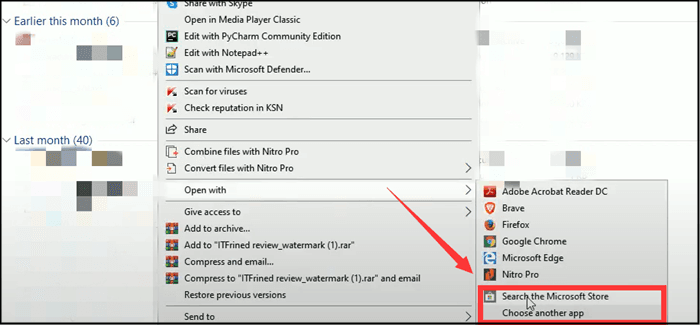
Step 2. Go on and wait for Microsoft to convert the PDF to Word format, which allows you to edit watermarks and texts on your PDF.
Step 3. Now you can select Design > Watermark > Remove Watermark to erase watermarks, or manually delete the watermarks yourself.
Step 4. Once you're done, save it as a PDF file again: select a save location > rename the file > and set the file type to PDF.
Conclusion
There is no doubt that one of the best ways to remove watermark from photos or videos is to rely on a free online watermark remover. If you are handling multiple product images, you can try UltraPic. Apart from watermark removal, you can also use it to generate a custom background, remove background in bulk, remove objects from photo, etc. Try it for free now!

