

Fotor Watermark Remover & Free Alternative: How-to Guide
How to use Fotor watermark remover to remove watermarks from images or videos? Here is a complete guide. Also, here is an easier and free Fotor alternative for image watermark removal.

By Jonna Updated on April 16, 2026


Fotor is a versatile, AI-powered all-in-one photo editing, graphic design, and creative content platform. Launched in 2012, it has grown into a globally popular tool known for its intuitive interface, powerful AI automation, and cross-platform accessibility, often called a lighter Photoshop alternative.
Except for basic and advanced photo editing features like adjustments, filters & effects, one-tap enhance, Fotor also comes with AI-powered editing tools like AI object remover, AI background remover, AI image generator, AI photo upscaler, graphic design & templates, and so on. Here, we will focus on Fotor watermark remover and show you a free and simple alternative.
Fotor Watermark Remover to Remove Watermarks from Images
Fotor watermark remover with AI is built into its Magic Eraser. It allows you to remove objects, watermarks, or people from your photos. And it offers Standard mode for text removal and Advanced mode for logo/watermark/text removal.
Here is how to use Fotor to remove watermark:
Step 1. Go to Fotor Watermark Remover and upload your image.
Step 2. Select Advanced or Standard mode, and then click Remove.
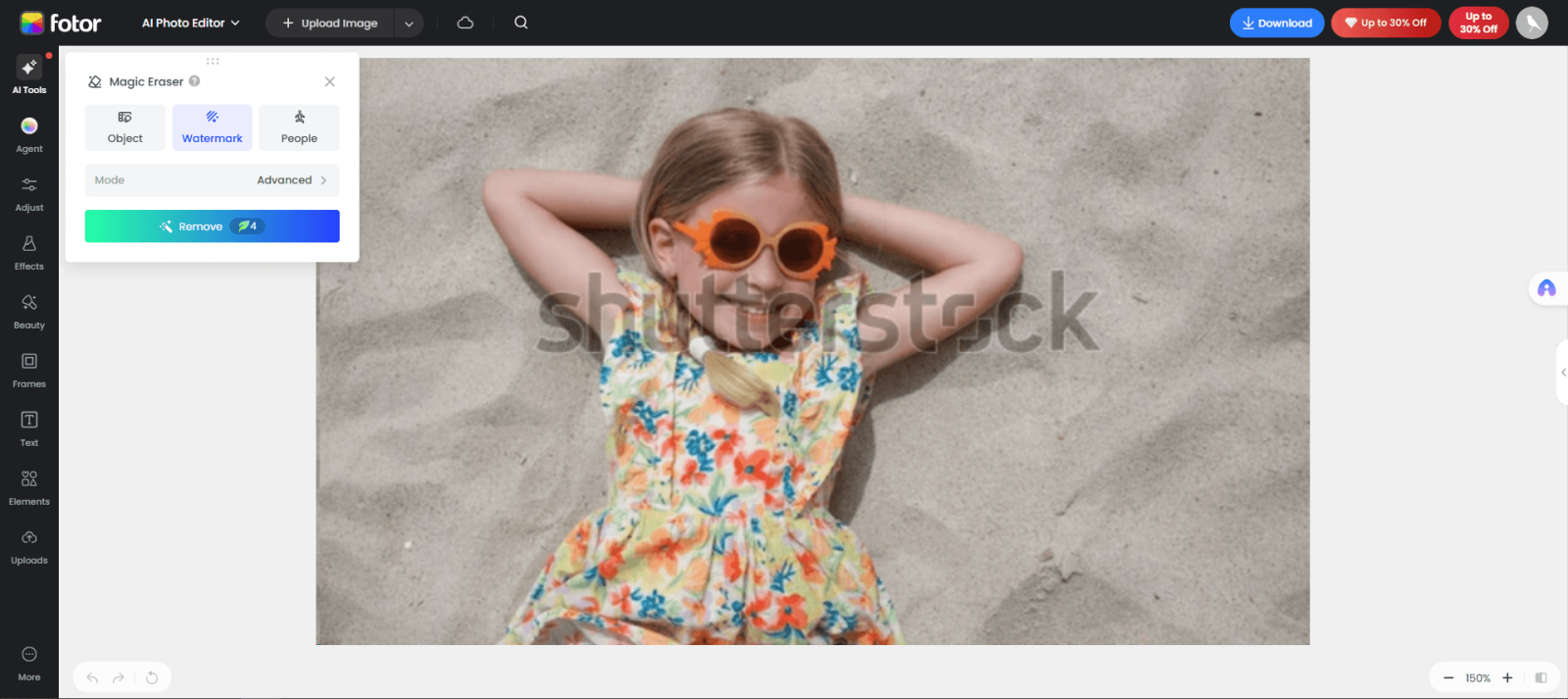
Step 3. When it's done, click Download to export the edited image.
Fotor Watermark Remover to Remove Watermarks from Video
Apart from images, Fotor also offers to remove watermark from video, including logos, text, and date stamps removal. It supports MP4, MOV, WebM, and M4V. And its video upload limits include: up to 4K resolution input, 5-minute length, 60 FPS, and 1 GB max file size. For how to remove watermark in Fotor for a video, try the steps below:
Step 1. Please upload your video file for editing. The larger the file, the longer it may take to process.
Step 2. Please manually select the area containing the watermark. The AI will process each frame individually to remove the watermark from the video.
Step 3. Preview the results before downloading. If the watermark area overlaps with complex moving images, slight blurring may occur.
Pros & Cons of Fotor Watermark Remover
While Fotor watermark remover online is convenient, it has advantages and disadvantages:
👉Pros:
- Extremely beginner-friendly: upload → select watermark → 1-click remove. No technical skills needed.
- Cross-platform access: except for online access, it is available on desktop (Windows/Mac) and mobile (iOS/Android).
- All-in-one platform: After removing watermarks, you can edit, enhance, filter, or design directly in Fotor.
👉Cons:
- Limited free version: The free plan provides only a small number of AI credits, and exported content will include a watermark; unless you upgrade, its practicality will be significantly reduced.
- Occasional artifacts in complex backgrounds: On backgrounds with rich textures or intricate details, AI processing results may exhibit slight distortion or ghosting.
Free Online Fotor Watermark Remover Alternative for Images - UltraPic
Troubled by distortions or ghosting effects in the Fotor watermark remover? You can try a more efficient online image editor - UltraPic. It is a modern, AI-powered tool designed specifically for watermark removal, object removal, background removal, and so on.

Remove Watermarks from Images in Seconds
Get clean, conversion-ready product photos instantly with AI.
- 100% automatic watermark removal for product pics
- Preserve every detail, keep edges sharp and clean
- Make product listings look polished to boost sales
- Save hours of manual editing using our AI tool now


This browser-based tool allows you to erase text, logos, date stamps, and overlays cleanly, built for creators, e-commerce sellers, and marketers needing fast, high-quality results. Here are some of its features:
- One-click watermark removal - AI automatically identifies and marks text/logos/overlays; one-click removal without manual selection.
- High-quality AI inpainting & reconstruction - It analyzes surrounding pixels, intelligently fills watermark areas, and restores backgrounds naturally - no blurs, ghosting, or hard edges.
- High-precision detail retention - Preserves fine textures, patterns, lighting, and edges (even on complex backgrounds like fabric, wood, or product surfaces).
- Supports multiple image formats - It supports PNG, JPEG, JPG, JFIF, PJP, PJEPG, WEBP, BMP, and various photo formats.
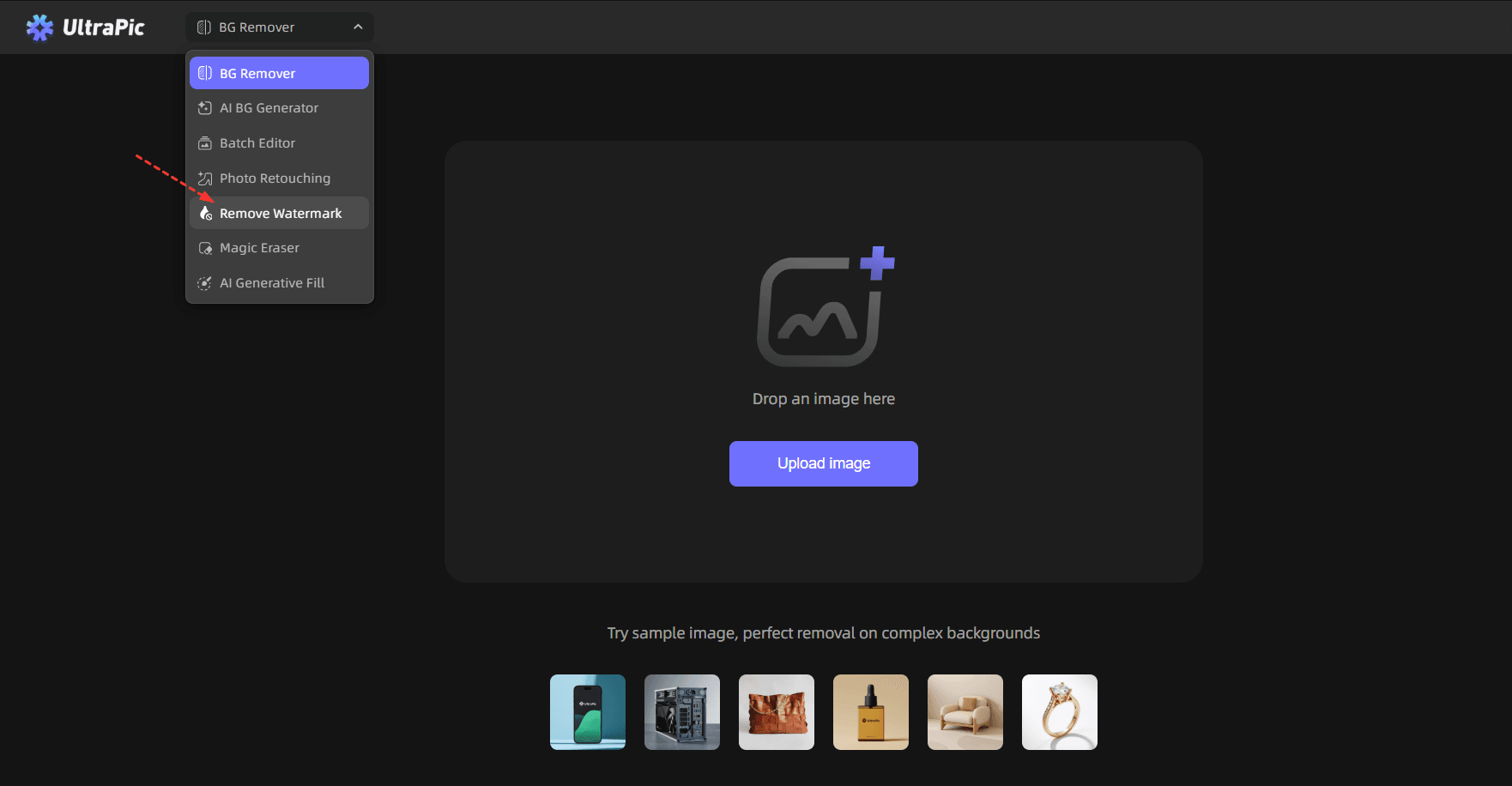
Step 1. Go to UltraPic watermark removal and upload the image.
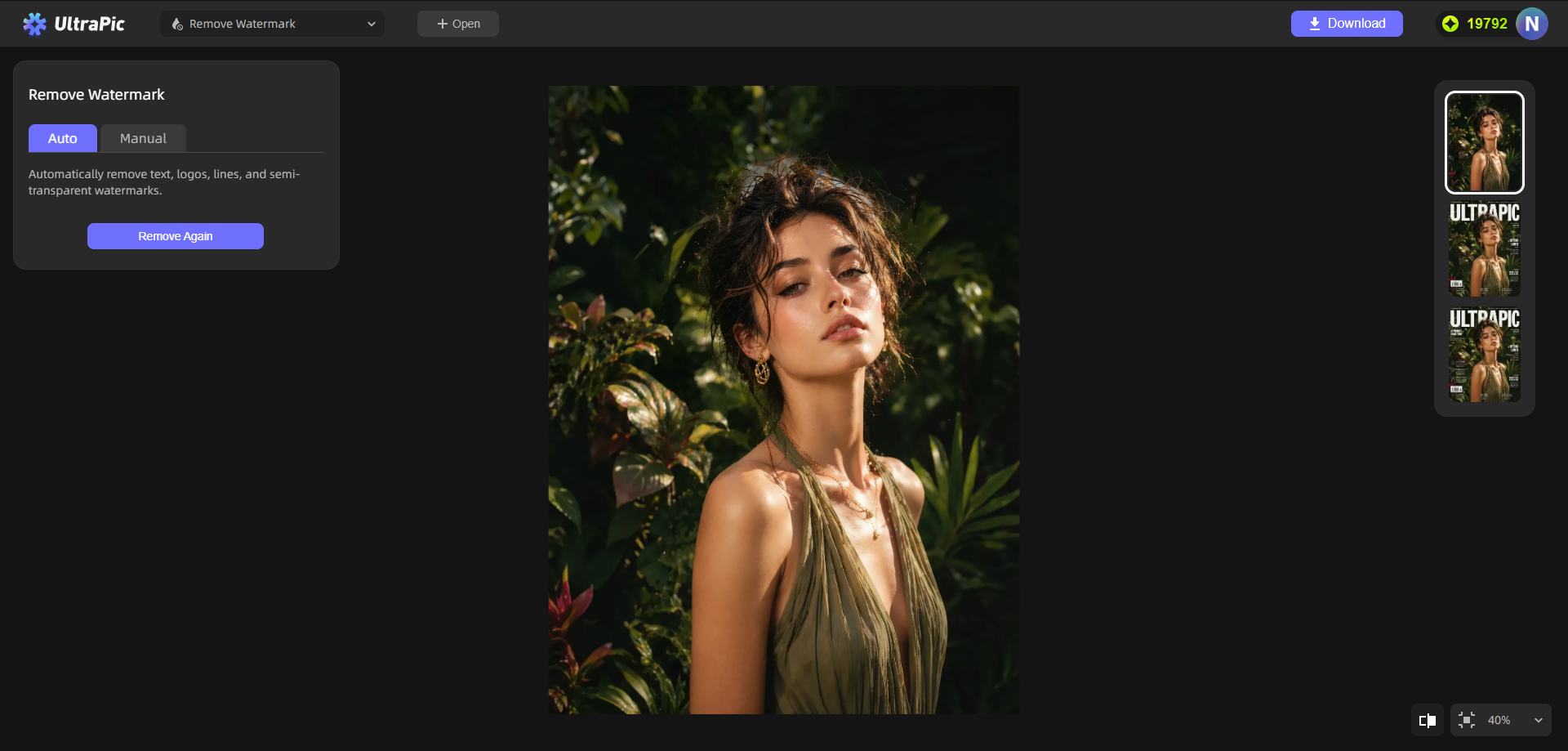
Step 2. Select the removal mode - there are two removal modes:
▶Auto mode: Automatically remove text, logos, lines, and semi-transparent watermarks, with no manual selection.
▶Manual mode: Highlight areas to remove as needed.
Step 3. Click on HD Removal or Standard Removal, and hit download to save the image.
FAQs on Watermark Removal
#1. Is there a free watermark remover?
Yes, many tools, including Fotor and UltraPic, offer free versions. These are great for basic editing tasks.
#2. What is the best app to remove watermark?
The best app to remove watermark depends on your needs. If you want flexibility and additional editing features, Fotor is a good choice. If you prioritize speed and simplicity, UltraPic may be a better fit.
#3. Is it difficult to remove a watermark?
Not necessarily. With modern tools, watermark removal has become much easier. However, the difficulty level still depends on the complexity of the image.
Simple watermarks on plain backgrounds are easy to remove. Complex overlays on detailed images require more effort and precision.
Conclusion
Fotor watermark remover offers image and video watermark removal. But it may have flaws like blurry images, exporting with watermarks, and slow processing. If you need another effective solution, you may try UltraPic. It simplifies watermark removal, delivering fast and clean results without the need for technical expertise.
Also, you can use the UltraPic photo editing tool to perform quick photo retouching, object replacement or object fill in image, custom background generation, and more image editing tasks.

