

Top 3 Best 4K Image Upscaler: Increase Resolution of Images Easily
Are you looking for the best 4K image upscaler? Here are 3 popular options, allowing you to enhance your image easily.

By Jonna Updated on June 18, 2026


What is Image Upscaling?
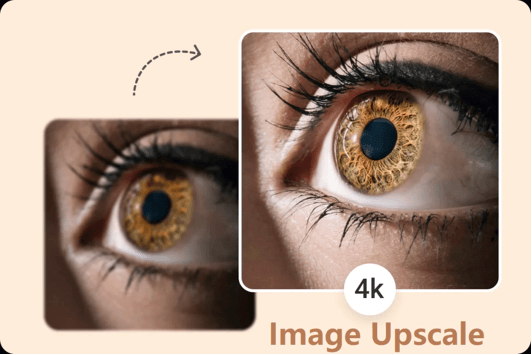
Image upscaling is the process of increasing the resolution and dimensions of a digital image while preserving or improving visual quality. In simple terms, it allows a small image to become larger without appearing blurry or distorted. Traditional resizing methods work by stretching existing pixels. Unfortunately, this often leads to pixelation, blurred edges, loss of detail, reduced sharpness, or even poor print quality.
Modern AI-powered 4K image upscaling tools, instead of simply enlarging pixels, can predict and reconstruct missing details to create a sharper and more natural-looking result. They can use AI to increase photo resolution and transform a low-resolution image into a crisp, detailed version suitable for professional use. This guide reviews three of the best 4K image upscalers available today. Please check them one by one.
Top 3 Best 4K Image Upscalers
Now that we've covered the basics, let's explore 3 powerful 4K photo quality enhancer tools that can help you enlarge and enhance images with impressive results.
Topaz Gigapixel AI
Topaz Gigapixel AI is widely regarded as one of the most advanced AI image enlargement tools available. Designed specifically for image upscaling with AI, it has become a favorite among professional photographers, designers, and creative professionals. Unlike basic resizing software, Topaz Gigapixel AI focuses heavily on preserving image details and reconstructing textures.
One of its strongest capabilities is face recovery. When enlarging portraits, the software can intelligently reconstruct facial details that would otherwise become blurry. The software also supports large scaling factors, making it suitable for print projects and professional photography workflows.
🟢Pros:
- Exceptional image quality
- Accurate detail reconstruction
- Strong facial enhancement capabilities
- Supports large image enlargements
🔴Cons:
- Paid software
- Requires installation
- Can be resource-intensive
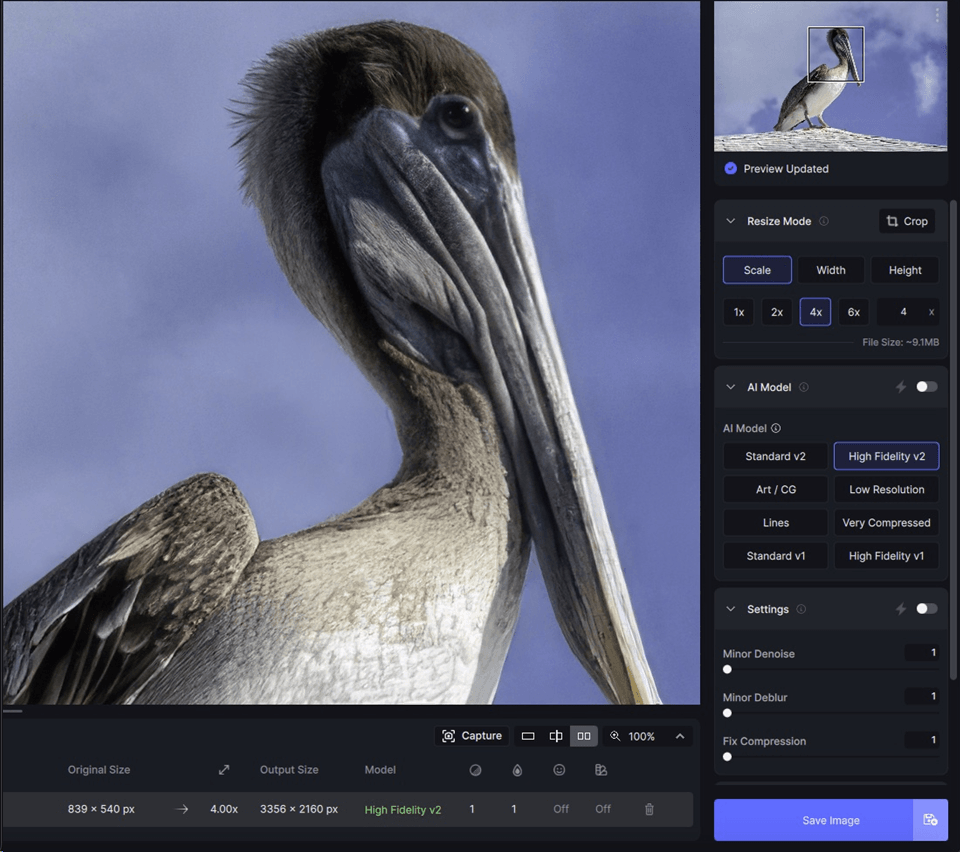
To convert image to 4K resolution using this 4K picture enhancer, you can run Topaz Gigapixel and log in > import an image > use the models located on the right panel to upscale and adjust the image. When it’s done, click on Export image.
UltraPic Image Upscaler
UltraPic is an AI-powered online image upscaler platform designed to make photo editing fast, accessible, and user-friendly. Unlike desktop-based software, this image upscaler with 4K and higher quality operates entirely online, eliminating installation requirements.

Create Studio-Quality Product Photos with AI
Make product images clean, professional and conversion-ready.
- Upscale image to 4K with sharper details & no quality loss
- Remove messy backgrounds in one click effortlessly
- Generate eye-catching custom backdrops for photos
- Boost clicks and sales with better product images
- No design or editing skills needed, instant result


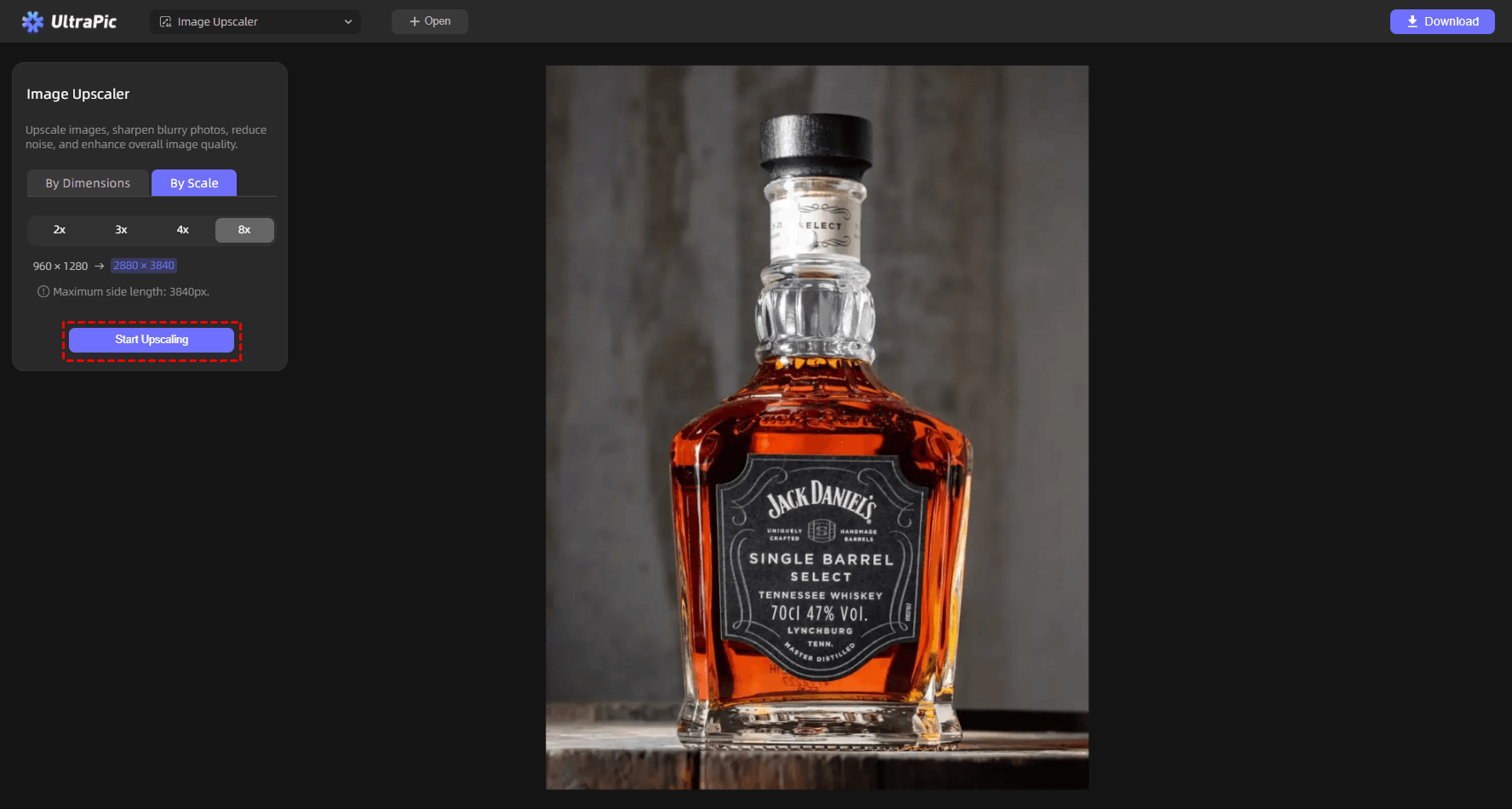
This free photo quality enhancer also comes with other image editing tools like background removal, object removal, photo restoration, AI generative fill, and so on. UltraPic utilizes advanced AI technology to enlarge images while preserving fine details, and it offers to upscale images by dimension and by scale (2x, 3x, 4x, and 8x), making it a practical option for photographers, marketers, content creators, and eCommerce sellers.
🟢Pros:
- Easy-to-use interface& fast AI processing
- No software installation required
- Multiple editing tools in one platform
- Supports batch processing for background removal
- Suitable for beginners
🔴Cons:
- Requires internet access
- Advanced professionals may prefer deeper manual controls
- Processing speed depends on connection quality
To run this best free image upscaler to upscale image to 4K, you only need to go to UltraPic Image Upscaler, upload the picture, select By Scale and the quality scale as needed, and click on Start Upscaling to run this image quality enhancer with no watermark. When it’s done, download and export it for saving.
Photoshop Generative Upscale
Adobe Photoshop remains one of the most widely used image editing platforms in the world. Recent AI-powered enhancements have expanded its image enlargement capabilities, allowing users to upscale images more intelligently than traditional resizing methods. Photoshop offers a comprehensive set of image enhancement tools like camera raw enhancement, super resolution, layer-based editing, etc.
Unlike dedicated upscaling tools, image upscaling in Photoshop combines image enlargement with extensive editing capabilities. This makes it particularly attractive to professional designers and photographers.
🟢Pros:
- Industry-standard software
- Comprehensive editing toolkit
- Excellent image enhancement features
- Integration with Adobe ecosystem
- Flexible workflow options
🔴Cons:
- Subscription-based pricing
- Learning curve for beginners
- More complex interface
- Requires installation
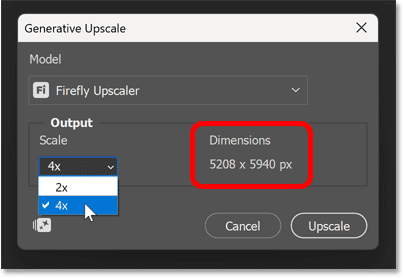
For how to AI upscale in Photoshop, select File > Open to open a low-resolution image > choose Image and then Generative Upscale > select the desired output scale (2x or 4x) and adjust parameters as needed > pick the AI model for the upscaling and click Upscale.
Common Scenarios for Upscaling Your Photos
High-resolution visuals have become essential across nearly every digital and print medium. A quality 4K picture enhancer can dramatically improve the appearance and usability of images. That’s why image upscaling matters. The following scenarios highlight where 4K image upscale can provide substantial benefits.
1. Printing Large Photos: Low-resolution photos often become blurry when printed in large formats. Upscaling increases pixel density and helps maintain sharpness for posters, canvas prints, banners, photo books, and wall art.
2. eCommerce Product Photography: Online shoppers rely heavily on product images. Enlarging and enhancing product photos helps improve product presentation, increase buyer confidence, and showcase fine details.
3. Restoring Old Family Photos: Historic photographs often suffer from low resolution, fading, scratches, and compression artifacts. AI-powered tools can restore and enlarge these images while preserving precious memories.
4. Digital Art and Design Projects: Artists and designers often need larger versions of their work. Upscaling helps create portfolio displays and presentation visuals.
5. Social Media Content Creation: Social media platforms increasingly favor high-quality visuals. Upscaled images can improve engagement, enhance branding, support larger formats, and create a more professional appearance.
FAQs on Image Upscaling
#1. How does 4K image upscale improve image quality?
A 4K image upscale process uses AI algorithms to analyze image content and predict missing details. Rather than simply enlarging existing pixels, the software reconstructs textures, edges, and patterns to create a sharper result. This approach produces significantly better quality than traditional resizing methods.
#2. How do I choose a reliable 4k image upscale service?
The best solution depends on your specific workflow and quality requirements. Generally speaking, when evaluating an image upscaler, you may consider:
- Output quality
- Ease of use
- Processing speed
- Supported file formats
- Batch processing capabilities
- Additional editing features
If you need a free image upscaler with 8X quality, you may try UltraPic.
#3. Which 4k image upscale service integrates with Photoshop easily?
Photoshop itself provides native upscaling capabilities through Super Resolution and AI-powered enhancement features.
However, many professionals also use dedicated tools such as Topaz Gigapixel AI alongside Photoshop because of their specialized enlargement technologies.
Summary
As visual content continues to play a central role in marketing, e-commerce, photography, and design, image quality remains a critical factor in achieving professional results. A powerful 4K image upscale solution can transform low-resolution images into sharp, detailed visuals suitable for websites, social media, print materials, and commercial projects.
Among the leading options available today, Topaz Gigapixel AI stands out for its exceptional image quality and advanced AI reconstruction capabilities. UltraPic offers a convenient online experience with multiple image enhancement tools and fast processing. Photoshop AI upscale provides strong enlargement features, but it may be complicated for most users. You can choose the one that suits you best.

