

Top 7 Best Photopea Alternative for Photo Editing (Online, Open-Source)
Looking for a Photopea alternative? Here are 7 excellent options, complete with a detailed analysis of their pros and cons. Choose the one that best suits your needs!

By Jonna Updated on June 29, 2026


Photopea is a browser-based photo editing tool that mimics traditional desktop software like Photoshop. One of the most commonly used editing functions in Photopea is the Free Transform tool. It allows users to resize, rotate, skew, distort, and adjust objects or layers with precision. It supports PSD files, layers, masks, and advanced editing features - all inside a web browser. That alone makes it popular among users who need quick access without installing software.
👉Tip on how to Free Transform in Photopea: Open an image and select the layer to edit in Photopea > Press Ctrl + T (Windows) or Cmd + T (Mac) > Drag corners to scale the object > Right-click for additional options like rotate, distort, or perspective transform.
However, as powerful as it is, Photopea has limitations that push many users to search for a better Photopea alternative. It can feel heavy on low-end devices, lacks modern AI automation, and sometimes struggles with large or complex files. Additionally, its interface can be overwhelming for beginners. In this guide, we'll break down the best Photopea similar websites and tools, explain how they compare, and help you choose the right one for your editing needs.
Best 7 Photopea Alternatives in 2026
The following tools represent the strongest alternatives to Photopea today. Each Photopea alternative offers unique strengths depending on your workflow, skill level, and editing needs.
|
Photopea Alternatives |
GIMP |
UltraPic |
Affinity Photo |
Krita |
Canva |
Pixlr |
Adobe Express |
|
Price |
Free(Open Source) |
Free (Online) |
One-time Purchase |
Free(Open Source) |
Freemium(Free tier; Pro subscription) |
Freemium(Free with ads; Premium subscription) |
Freemium(Free tier; Premium subscription) |
|
Platform |
Windows, Mac, Linux (Desktop) |
Web Browser (Cross-Device) |
Windows, Mac, iPad (Desktop) |
Windows, Mac, Linux (Desktop) |
Web, iOS, Android |
Web Browser, iOS, Android |
Web, iOS, Android |
|
Internet Required |
No |
Yes |
No |
No |
Yes |
Yes |
Yes |
|
Best For |
Professional photo editing & retouching (open-source) |
Quick, browser-based edits with AI tools |
Professional photographers & designers (non-subscription) |
Digital painting & illustration |
Social media graphics & marketing content |
Versatile online editing (layers + AI) |
Quick marketing designs & AI generation |
GIMP - Free & Open-Source Image Editor
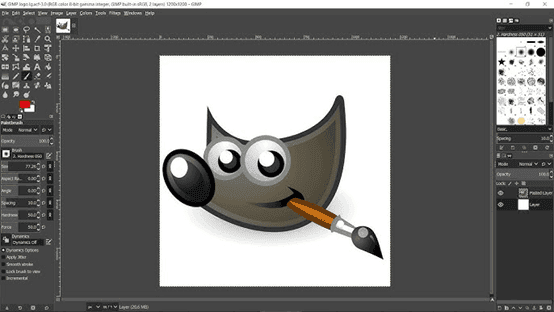
If your priority is completely free software with extensive editing tools, GIMP deserves taking into consideration. GIMP (GNU Image Manipulation Program) is one of the world's most popular open-source image editors. Developers and designers have trusted it for decades because of its flexibility and active community.
Unlike browser-based editors, GIMP runs locally on your computer. Therefore, it handles large projects more efficiently while supporting advanced workflows.
🟢Pros:
- Completely free and open-source
- Advanced layer and masking support
- Highly customizable interface
- Strong plugin ecosystem
- Suitable for professional editing workflows
🔴Cons:
- Steep learning curve for beginners
- Interface feels outdated compared to modern tools
- No built-in AI features
- Requires installation (not browser-based)
💡Just launch the Photopea open-source alternative GIMP and navigate to File > Open to select the target image for basic editing or retouching.
UltraPic - AI-Powered Free Online Photo Editor
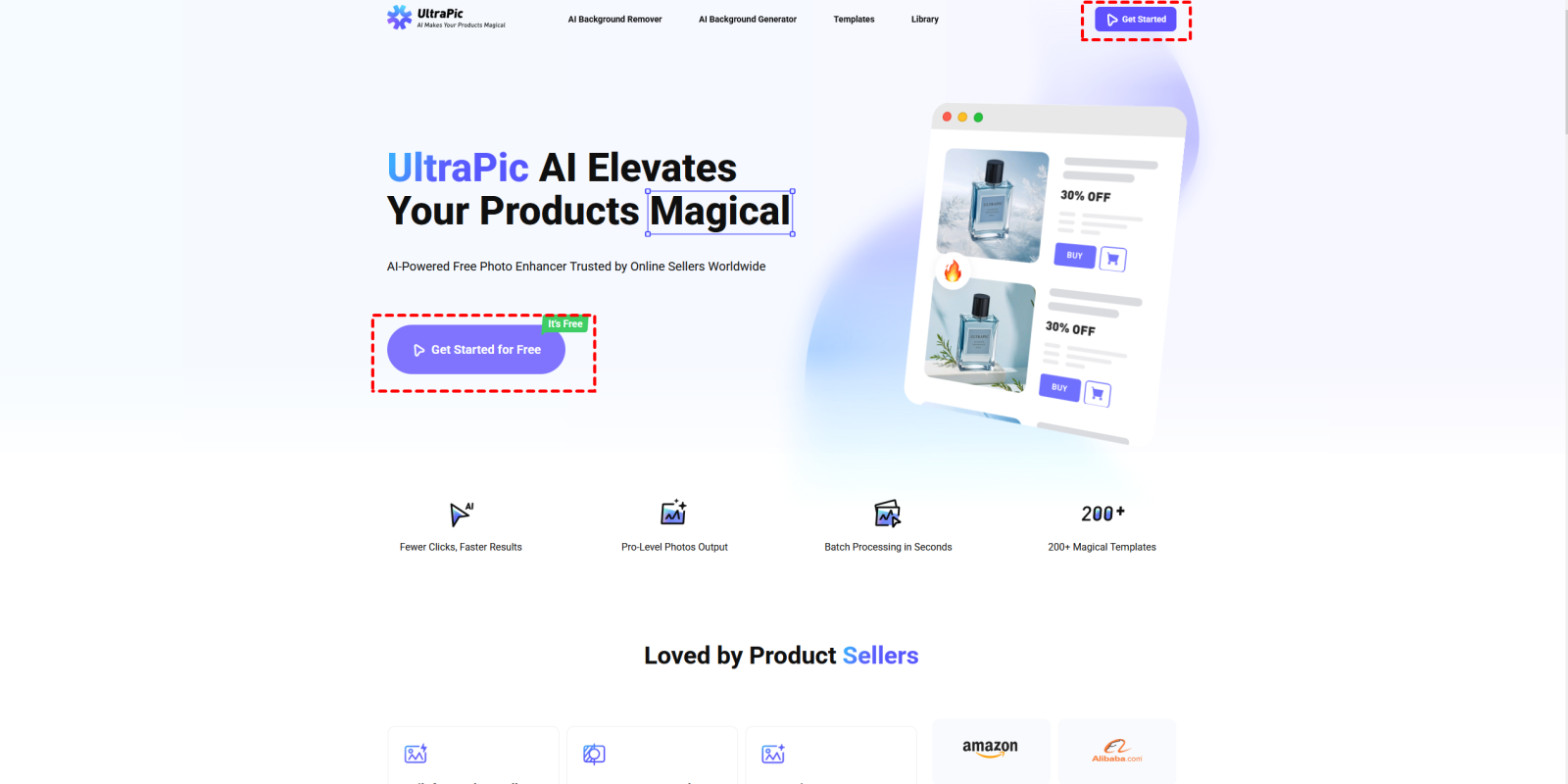
While traditional editors focus on manual adjustments, UltraPic emphasizes speed, automation, and intelligent editing. It has quickly become one of the most promising Photopea alternatives online solutions. UltraPic is an AI-powered online image editor that helps users perform professional-quality edits in just a few clicks.

Create Studio-Quality Product Photos with AI
Make product images clean, professional and conversion-ready.
- Remove messy backgrounds in one click effortlessly
- Generate eye-catching custom backdrops for photos
- Boost clicks and sales with better product images
- No design or editing skills needed, instant result


This Photopea free online Photoshop alternative uses artificial intelligence to automate complex tasks such as background removal, object removal, image enhancement, generative fill, watermark removal, and image upscaling. This makes it an excellent option for beginners, content creators, online sellers, marketers, and photographers who need fast results without learning complicated editing techniques.
🟢Pros:
- AI-powered background removal and editing
- No installation required (fully online)
- Extremely fast processing
- Beginner-friendly interface
- High-quality output for professional use
🔴Cons:
- Requires an internet connection
- Limited advanced manual editing tools
- Less control compared to desktop software
💡Simply open UltraPic in your browser > upload your image > select the desired AI editing tool > let AI automatically process your image.
Affinity Photo - Professional Desktop Photo Editor
If you're looking for a premium desktop editor without a subscription, Affinity Photo is an excellent choice. And for Photopea vs Affinity Photo, the latter is a fully installed desktop application that offers more stability, better performance, and deeper professional editing capabilities, while maintaining a one-time purchase model.
Affinity Photo is a professional image editing application developed for photographers, graphic designers, and digital artists. It supports advanced photo retouching, HDR editing, panorama stitching, RAW processing, and detailed layer-based workflows. Many creative professionals consider it one of the strongest apps like Photopea.
🟢Pros:
- One-time purchase with no subscription
- Extremely powerful editing tools
- Supports RAW editing and advanced retouching
- Smooth performance on large files
- Professional-level precision
🔴Cons:
- Paid software
- Requires installation
- Can be overwhelming for beginners
💡Install and install Affinity Photo > open your image or RAW file, then use adjustment layers, masks, filters, and retouching tools.
Krita- Best Free Digital Painting Software
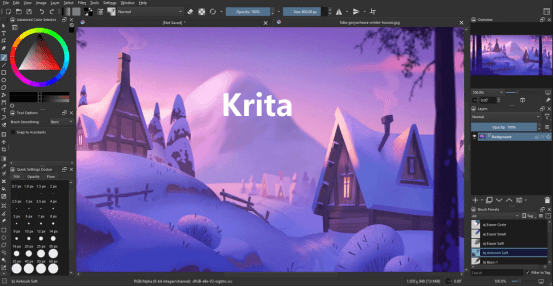
Krita is an open-source digital painting and illustration tool that also works well for photo editing. While primarily designed for artists, it can serve as a creative Photopea alternative.
Krita features stabilizers for inking, vector tools, and a full 2D animation timeline with onion skinning. While its photo manipulation tools are not as extensive as GIMP or Photoshop, its color management and painting capabilities are superior. If you are a digital artist looking for a Photopea alternative that prioritizes drawing and painting over complex photo retouching, Krita is the perfect choice.
🟢Pros:
- Free and open-source
- Excellent for digital painting and illustration
- Strong brush engine
- Supports layers and masks
- Active community support
🔴Cons:
- Not focused purely on photo editing
- Limited advanced photo manipulation tools
- Performance can vary on large files
💡Open an existing image or create a new canvas in Krita, choose brushes, layers, and adjustment tools, then edit or paint your artwork.
Canva- Easy Online Graphic Design Platform
Canva is one of the most popular online design tools and a practical Photopea alternative for users focused on simplicity and speed rather than advanced editing. Instead of emphasizing complex photo manipulation, it offers an AI picture generator to help users create presentations, social media posts, posters, business cards, flyers, videos, and promotional graphics.
For users looking for websites like Photopea that prioritize speed and simplicity, Canva is an excellent option.
🟢Pros:
- Extremely easy to use
- Huge library of templates
- Cloud-based platform
- Great for social media design
- Fast drag-and-drop editing
🔴Cons:
- Limited advanced photo editing tools
- Some features require paid subscription
- Less control over fine image adjustments
💡Just sign in to Canva, and then choose a design template or create a blank canvas to add text, graphics, or AI editing features for image editing.
Pixlr- Browser-Based Photo Editor
Pixlr is a cloud-based photo editing platform that runs directly in your browser. It provides two main versions: Pixlr X for beginners and Pixlr E for advanced users. This dual structure allows users to scale their editing experience depending on their needs.
Because it requires no installation, Pixlr is often considered one of the most accessible photopea alternatives online solutions available today.
🟢Pros:
- Works directly in the browser
- Supports layers and filters
- Easy-to-use interface
- Fast performance
- Good balance between simplicity and power
🔴Cons:
- Ads in the free version
- Limited offline capabilities
- Some features are locked behind a paywall
💡Open Pixlr in your browser> upload your image > use tools like cutout, adjustment, and filters > refine edits using layers if needed.
Adobe Express- AI-Powered Content Creation Tool
Adobe Express is a simplified design and content creation platform developed by Adobe. Unlike Photoshop or Photopea content aware fill, it focuses on quick design workflows rather than advanced editing. It combines templates, AI tools, and branding features into a single online environment.
As a result, it is widely used by marketers, small businesses, and content creators looking for a practical alternative to Photopea that prioritizes efficiency.
🟢Pros:
- Backed by Adobe ecosystem
- Simple and beginner-friendly
- Cloud-based editing
- Great template library
- Fast content creation tools
🔴Cons:
- Limited advanced editing control
- Some features require a subscription
- Not suitable for deep photo manipulation
💡Go to sign in to Adobe Express, select a design template or start from scratch, then upload and customize using text, filters, and elements.
Final Thoughts
Choosing the right Photopea alternative depends entirely on your workflow, skill level, and creative needs. If you want full control and professional editing power, tools like GIMP or Affinity Photo are excellent choices. If you prefer simplicity and speed, Canva or Pixlr might be better suited. Among AI image editor tools, UltraPic stands out as a modern solution that simplifies the editing process.
Another key factor when comparing tools is the Photopea price model. Photopea is primarily free to use, but it operates under a freemium structure. While the free version is powerful enough for most users, ads and performance limitations often push users to explore a better alternative to Photopea, especially for professional workflows or heavy editing tasks.
Nowadays, photo editing is no longer limited to professionals with expensive software. Whether you are designing social media content, editing product images, or working on creative projects, there is always a suitable alternative to Photopea available for your needs.

