

Best Photo Editing Tool to Do Furniture Photo Retouching
Photo editing and retouching, don't know the differences? This post covers how to perform furniture photo retouching easily and shows the difference between photo editing and retouching.

By Jonna Updated on May 21, 2026


What is Photo Retouching?
Photo retouching is a precise, detail-oriented process of improving images by fixing small flaws, enhancing textures, refining lighting, and perfecting visual details. It focuses on high-quality refinement rather than major structural changes. Common retouching tasks include:
- Removing blemishes, spots, dust, or scratches
- Smoothing skin while keeping natural texture
- Fixing uneven lighting or shadows
- Enhancing product shine, color accuracy, and clarity
- Preserving original details while polishing imperfections
It is widely used in product photography, like furniture photo retouching, portrait photography, like passport photo retouching, cosmetics, e-commerce, and professional studio work.
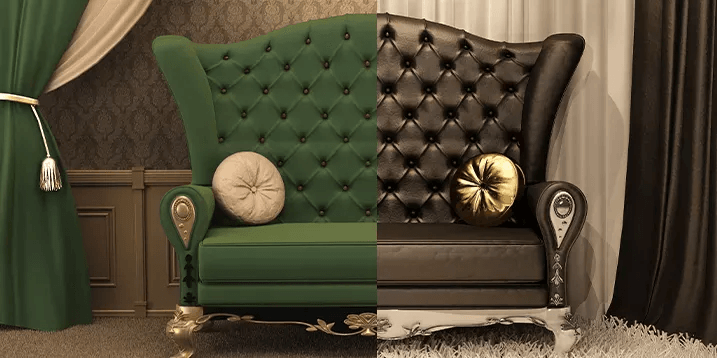
Difference Between Photo Editing and Retouching
Although often used interchangeably, photo editing and retouching are not the same. Photo editing typically refers to general adjustments applied to an entire image. These might include cropping, resizing, exposure correction, contrast adjustment, or applying filters. Editing sets the foundation. Retouching, on the other hand, is more detailed and localized. It focuses on specific areas within the image. For example:
- Photo editing might increase overall brightness and adjust white balance.
- Retouching would remove a scratch on the table surface or fix a reflection on a glass cabinet door.
- Editing might crop the image for social media dimensions.
- Retouching would refine the edges of the furniture to make it stand out cleanly from the background.
Furniture photo retouching demands this precision because customers expect clarity. They zoom in, examine textures, and compare details before purchasing. In short, editing enhances the whole image, while retouching perfects the details. Now, let's get down to how to perfrom basic photo retouching for furniture photos.
Best Free Furniture Photo Retouching Service Online - UltraPic
With the rise of AI-powered tools, furniture image retouching has become simpler for everyone. UltraPic is a free online photo editing tool designed to simplify complex photo editing tasks, including image retouching, while maintaining professional quality.
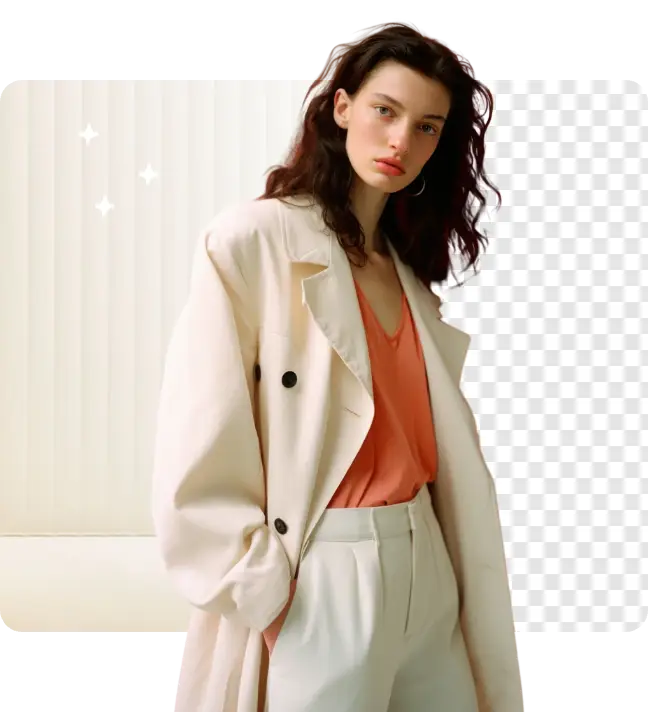

AI-powered high-quality image editing easy
Instantly retouch photo, get white background and perspective correction with AI. Boosting conversions effortlessly.
This tool combines automation with precision tools. Instead of manually selecting every edge or correcting lighting pixel by pixel, the AI detects objects, backgrounds, and shadows automatically. This speeds up workflow significantly, making it ideal for both small business owners and professional photographers. Also, it offers other furniture image editing tools like magic erasing redundant objects, replacing objects in a photo, changing background, and so on. This furniture photo editing service typically offers functions for image retouching:
💡 AI Retouching - Powered by fully automated AI, it focuses on comprehensive, one-click enhancement with no manual fine-tuning needed. It offers 5 retouching features, including:
- White Background: It intelligently separates product from background for a clean, white look.
- Remove Blemishes: It helps to erase visual flaws, such as dust, scratches, stray hair, or skin imperfections on the product.
- Shadow: It is able to automatically create a natural shadow for the subject.
- Reflection: It is able to automatically generate a subtle reflection beneath the subject.
- Remove Watermark & Logo: It allows you to remove watermark, logo, or text from the product without manual selection.
How to Perform Furniture Photo Retouching
Below is a step-by-step guideline for performing furniture photo retouching using UltraPic.
Step 1. Upload a high-quality furniture image
👉 Tip: Retouching cannot fully compensate for poor photography. Use proper lighting; natural light works well, but softbox lighting provides greater control, and avoid harsh shadows and mixed color temperatures.
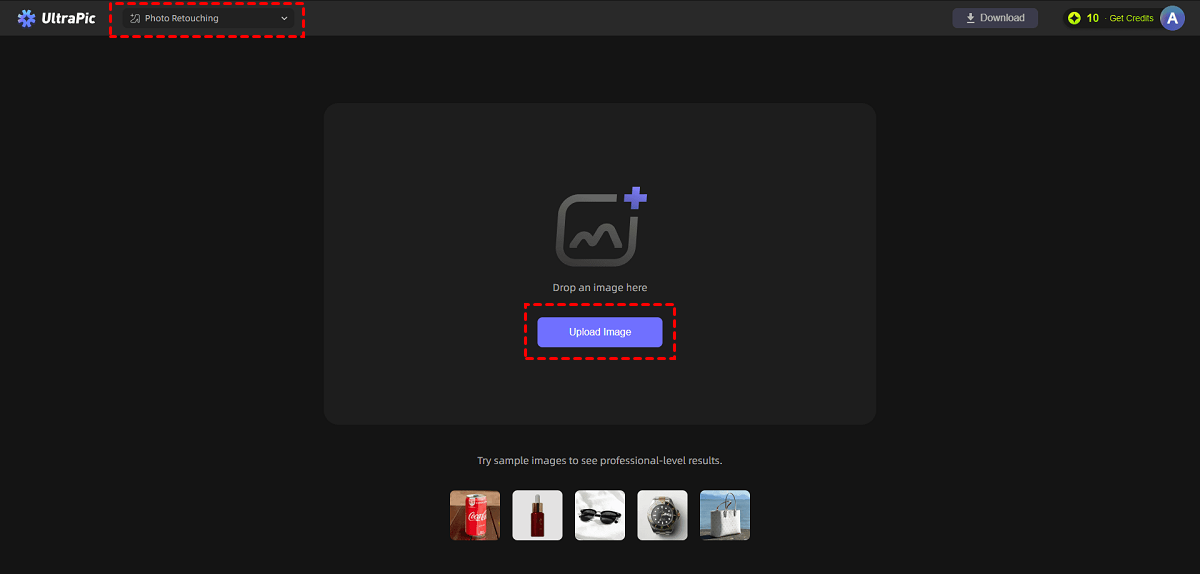
Upload your furniture product image into UltraPic Photo Retouching by dropping or using Upload image.
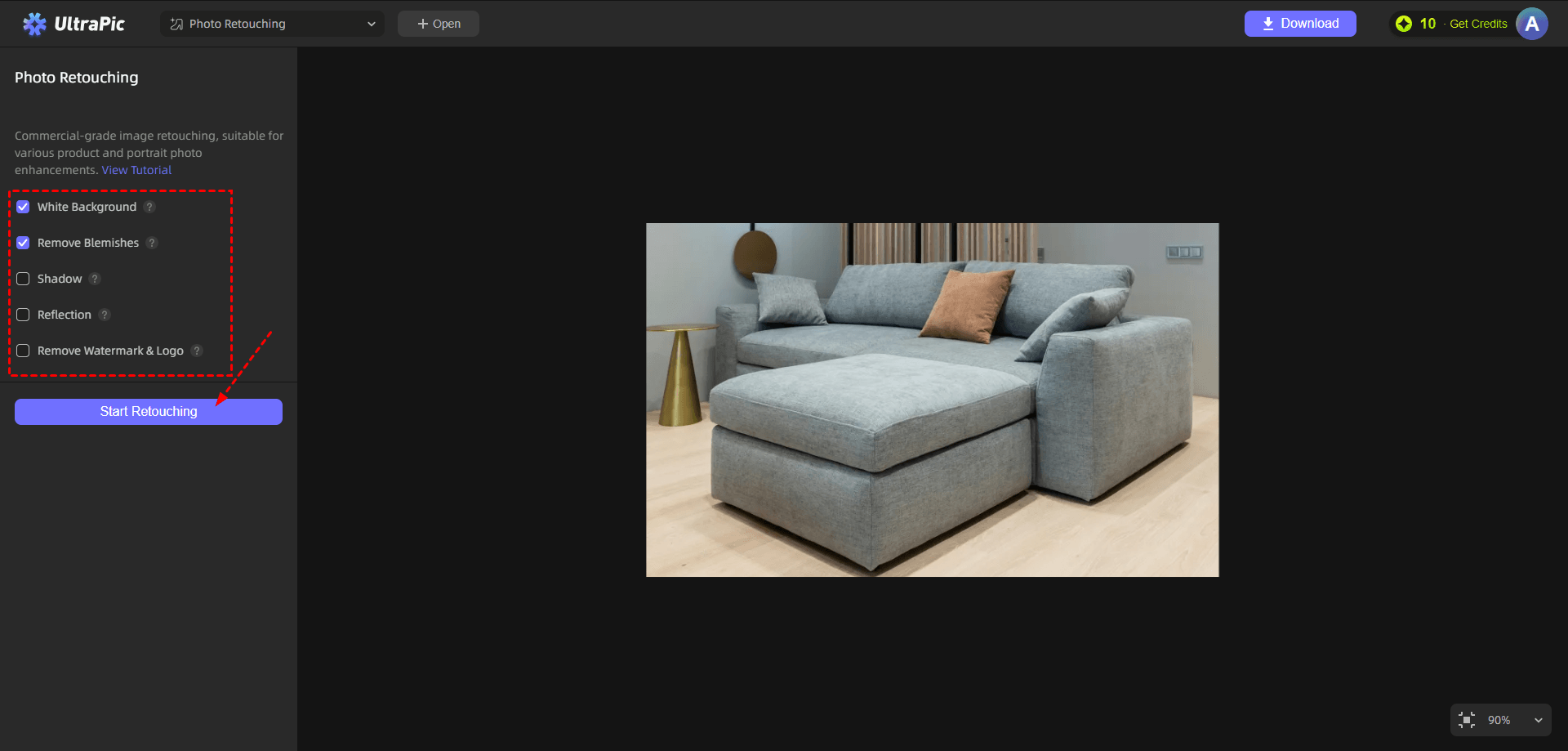
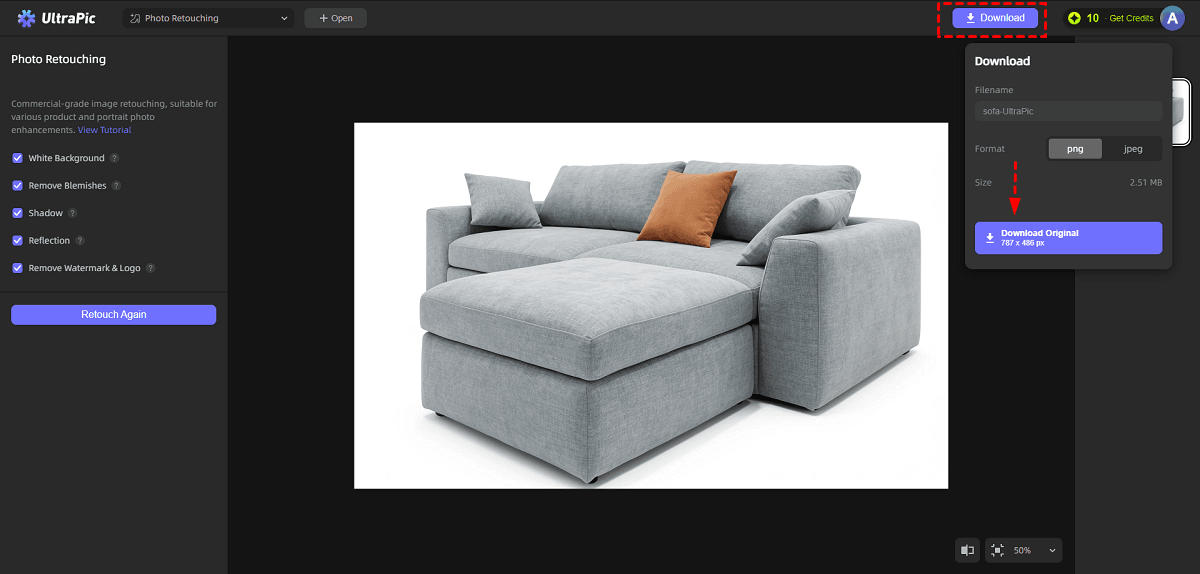
Step 2. Choose the features for furniture photo retouching according to your needs, then click Start Retouching to run this furniture photo retouching service.
You can zoom in to inspect edges, surfaces, and color consistency. Not satisfied with the generated results? Adjust the corresponding settings and click Retouch Again to generate a new result.
Step 3. Then, click Download > Download Original to export the furniture image with the original quality.
FAQs on Furniture Photo Retouching or Editing
#1. What is the best way to improve furniture photos for e-commerce?
The best approach combines strong photography with professional furniture photo retouching. Focus on:
- Proper lighting during the shoot
- Neutral backgrounds
- High-resolution images
- Consistent angles across products
- Careful surface cleaning before photography
- Accurate color correction during editing
Post-production should refine, not rescue, the image. Balanced lighting, realistic shadows, and texture clarity significantly increase conversion rates.
#2. How to edit furniture pictures?
You can edit furniture pictures with UltraPic by removing background, generating a new background, erasing unwanted objects from photos, generative fill image using text prompts, etc.
#3. What app removes furniture from photos?
If you need to remove furniture objects from a room image, UltraPic's Magic Eraser helps to remove unwanted objects while preserving the rest of the scene intelligently. Its object detection capability allows seamless removal without obvious artifacts.
#4. How long does furniture photo retouching usually take?
Furniture photo retouching time depends on the image complexity, the number of photos, and the level of editing required. For example, basic furniture retouching using UltraPic only takes a few seconds.
#5. Can furniture photo retouching fix shadows on sofas?
Yes, furniture photo retouching can effectively fix shadows on sofas. Professional editors can adjust, soften, remove, or even create shadows to make the sofa look more natural and visually appealing.
Conclusion
Furniture photo retouching is not just about making images look better. A well-retouched image communicates quality, craftsmanship, and professionalism. Customers judge products within seconds. Crisp visuals influence their decision to click, explore, and ultimately purchase.
Tools like UltraPic offer efficient retouching solutions for background removal and color correction. Also, it is embedded with other powerful functions like new background generation, photo batch editing, watermark removal, and so on.


