

Free Online Image Quality Enhancer | No Watermark, Up to 8X
This guide introduces the best free image quality enhancer with no watermark and how to enhance photos up to 4K with ease.

By Jonna Updated on July 8, 2026


Why Image Enhancing is Necessary?
Have you ever taken what seemed like the perfect photo, only to discover later that it looked blurry, pixelated, or lacked sharp details? Whether you're a photographer, designer, online seller, marketer, or simply someone preserving precious memories, image quality can make a significant difference. That's why image enhancement is important.
Image enhancing refers to the process of improving the visual quality of an image by increasing its resolution, sharpening details, reducing noise, correcting colors, restoring textures, and making the overall picture appear cleaner and more professional. Unlike traditional editing, today's AI-powered image enhancers analyze millions of image patterns to reconstruct missing details while intelligently preserving natural textures.

Now, let's get down to the best image quality enhancer with no watermark - UltraPic, and how to use it to improve visual appeal, increase image resolution, or restore scanned old/damaged photos simply and quickly.
Best Online Image Quality Enhancer No Watermark - UltraPic
Finding a reliable online tool for improving image quality can be challenging because many platforms limit downloads, add watermarks, or reduce image quality after processing. UltraPic is designed as a photo enhancer online free with no watermark that helps users to perform up to 4K image upscaling quickly with no editing skills. It focuses on increasing image clarity, restoring details, and enhancing resolution while maintaining the natural look of the original picture.

Enhance & Upscale Images with AI Precisely
Transform blurry, low-quality photos into sharp, high-resolution images instantly.
- AI-powered upscaling to boost resolution up to 4x
- Automatically fix blur, noise, and pixelation in low-res images
- Enhance product photos for professional, e-commerce-ready results
- One-click editing - no design skills or software needed


Different from traditional editing, UltraPic AI-powered image enhancer free no watermark can automatically analyze different elements of an image. It can identify edges, textures, colors, and lighting conditions before applying improvements. This makes the enhancement process faster and more accessible for beginners and professionals.Here are some features that make online image enhancement easier and more efficient.
🎈 AI Image Upscaling Up to 8x: It can enlarge images by up to 8 times while preserving fine details.
🎈 Automatic Blur Removal: It analyzes blurry regions and restores sharpness without creating harsh artifacts or over-sharpened edges.
🎈 AI Noise Reduction: It intelligently removes unwanted noise while preserving important textures like hair, fabric, and skin.
🎈 Smart Face Enhancement: For portrait photography that demands extra attention to facial details, it detects faces automatically and enhances eyes, skin texture, hair strands, facial contours, and overall clarity.
🎈 Other Image Editing Tools: Except for enhancing photo free no watermark, this tool also provides background removal, photo retouching, object removal, watermark removal, AI generative fill, and so on.
How to Enhance Photo Quality to 4K with No Watermark
Enhancing a photo to 4K quality no longer requires complicated desktop software or professional editing skills. Here is how to run the UltraPic free photo enhancer online without watermark:
Step 1. Upload your original image. Visit the UltraPic website in a browser and navigate to the Image Enhancer tool. Then, upload the photo you want to improve.
UltraPic supports various image formats, including PNG, JPEG / JPG / JFIF / PJP / PJEPG, WEBP, and BMP, making it suitable for most photos, scanned documents, digital artwork, and product images.
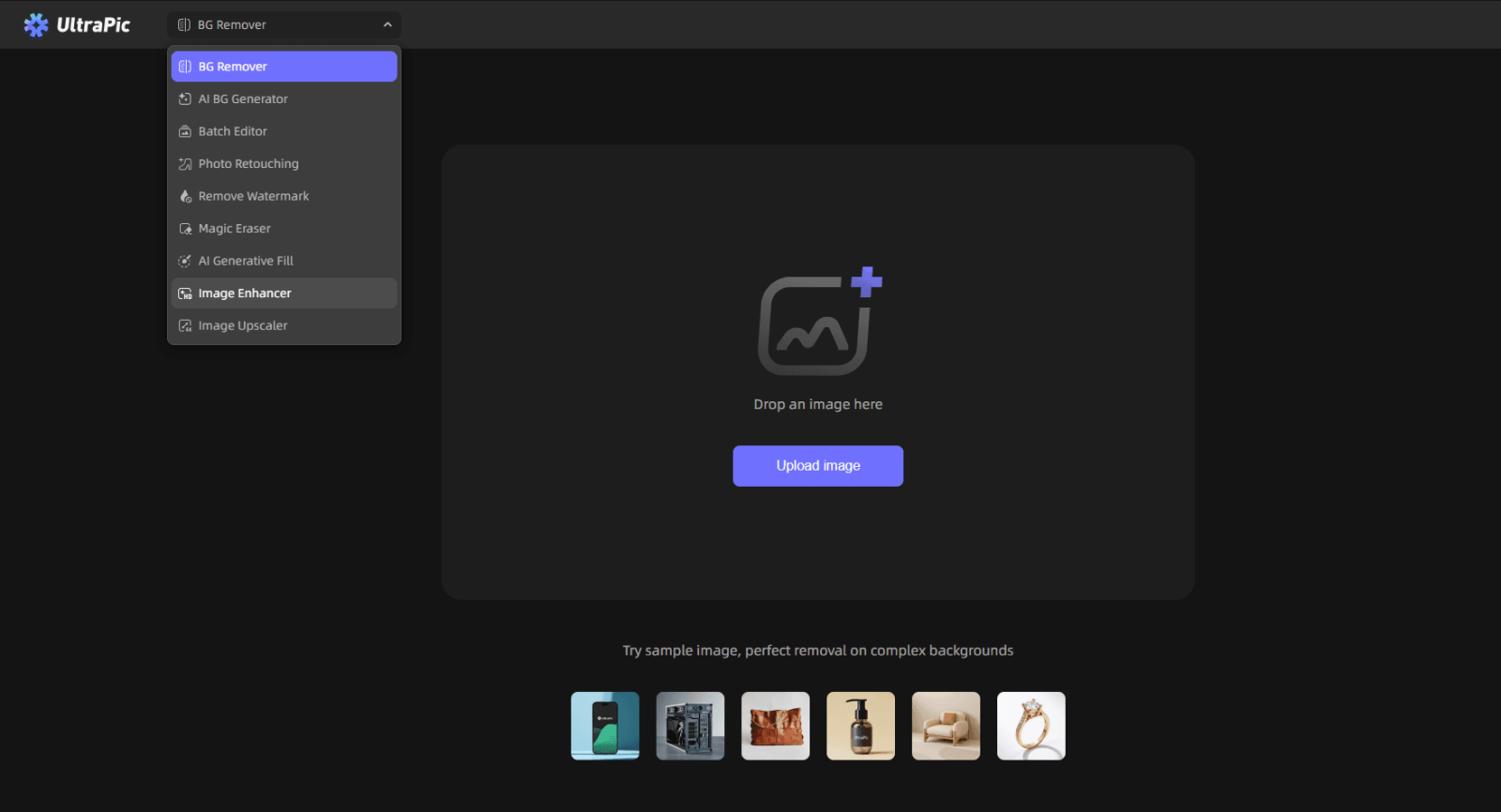
Step 2. Its AI image enhancers analyze the photo and automatically adjust details such as sharpness, texture, brightness, and noise. Click Start Restoring to enhance the image while generating additional details to prevent pixelation and maintain clarity.

Step 3. Preview and Download. Once processing is complete, compare the before-and-after results to see the improvements in sharpness, resolution, and overall quality. Click Download to export the final result without a watermark.

FAQs on Image Quality Enhancement
#1. Why is image quality enhancement important?
Image quality enhancement helps transform unclear, outdated, or low-resolution images into sharper and more professional visuals. It is useful for improving personal photos, business images, product displays, and creative projects.
High-quality images create better impressions because viewers can see more details, accurate colors, and clearer textures. Enhancement is also valuable when preparing images for large screens or printing.
#2. Can image enhancers fix blurry photos?
Yes, AI image enhancers can reduce blur and improve photo clarity. They analyze image patterns and attempt to restore missing details, making photos appear sharper. However, extremely damaged images may have limitations because lost information cannot always be perfectly recovered.
Many AI enhancement tools specifically include blur correction and noise reduction features to improve unclear photos.
#3. Which image quality enhancing methods suit low light photos?
Low-light photos usually suffer from noise, weak details, and poor contrast. Effective enhancement methods include:
- Noise reduction to remove grainy areas
- Brightness and exposure adjustment
- Contrast improvement
- Detail sharpening
- AI-based restoration
Summary
A high-quality image can make a strong difference in digital content, marketing materials, and personal memories. Using an image quality enhancer no watermark allows users to improve resolution, fix blurry areas, and create cleaner visuals without distracting marks.
Modern AI-powered tools like UltraPic make photo enhancement faster and easier than traditional editing methods. Whether improving old family photos, preparing product images, or creating professional content, online image enhancers provide a convenient way to achieve sharper and clearer results.
With features such as people removal, watermark removal, object replacement, and more, it provides a practical solution for anyone looking to edit images quickly and simply.

