

eBay Product Photography: Photo Requirements & Improvement Tips
This page presents detailed information about eBay product photography, including photo requirements, photography setup, and tips for taking better eBay photos.

By Jonna Updated on May 29, 2026


On online marketplaces like eBay, shoppers can't physically touch products, inspect textures, or ask a salesperson questions in real time. That's why eBay product photography plays a critical role in attracting buyers and increasing conversions. Blurry images, dark lighting, cluttered backgrounds, inconsistent colors, or poorly cropped photos can instantly make even a high-quality product seem unreliable.

Meanwhile, clean and professional visuals create trust, improve click-through rates, and often lead directly to more sales. This guide explores eBay photo requirements, the best free online editing tools, and practical photography tips that can help sellers create cleaner, sharper, and more attractive product images.
Part 1. eBay Photo Requirements
Before uploading product images to eBay, sellers should understand the basic eBay photo rules. Meeting these standards not only helps make listings look more professional but also increases their visibility in search results and on mobile devices.
The eBay platform encourages sellers to use high-quality images that clearly showcase product features and avoid misleading buyers. Several key image requirements are particularly important to create the best photos for eBay.
#1. Use high-resolution images
Image quality directly affects customer confidence. Low-resolution photos often appear blurry when buyers zoom in, making products seem less trustworthy. Recommended eBay product picture size guidelines include:
- Minimum image size of 500 pixels on the longest side
- Preferred image size of 1600 pixels or larger
- High-resolution photos for zoom functionality
- Clear and sharp focus
- Accurate color representation
Large images allow buyers to inspect product details more closely, especially for fashion items, electronics, jewelry, and collectibles.
#2. Use white or neutral backgrounds
eBay strongly recommends using distraction-free and clean backgrounds. Cluttered backgrounds may confuse buyers or reduce visual focus on the actual item. White backgrounds are especially popular because they:
- Improve product visibility
- Create professional consistency
- Reduce distractions
- Enhance search presentation
- Match e-commerce standards
While the best eBay photo setup is a white backdrop, you may also use simple props such as sunglasses, shoes, or bags to create lifestyle-inspired compositions. Many sellers now use AI-based background removal tools to quickly generate polished white-background product photos.

#3. No heavy watermarks
While subtle branding may sometimes be acceptable, large watermarks or promotional overlays can negatively affect listing quality. The product itself should remain the central focus of the image. And it is advised to avoid adding:
- Distracting logos
- Large text overlays
- Promotional graphics
- Website URLs covering products
#4. Show the actual product
Stock photos may be allowed in limited categories, but real product images perform better. Buyers usually want to see:
- Actual condition
- Wear and tear
- Packaging
- Accessories
- Authenticity indicators
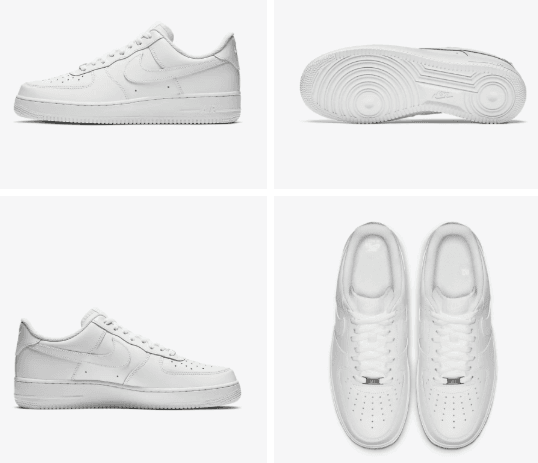
#5. Display multiple angles
Customers want to see products from different perspectives before purchasing. Important angles often include: front view, side view, rear view, close-up details, packaging shots, accessories included, and product defects, if applicable.
Providing multiple angles increases buyer confidence and reduces misunderstandings. For used products, showing scratches, wear marks, or imperfections honestly also helps build trust.
#6. Avoid heavy filters
While subtle branding may sometimes be acceptable, large watermarks or promotional overlays can negatively affect listing quality. Avoid adding:
- Distracting logos
- Large text overlays
- Promotional graphics
- Website URLs covering products
The product itself should remain the central focus of the image.
#7. Supported file formats
eBay commonly supports JPG, JPEG, PNG, GIF, BMP, and TIFF. JPG remains the most widely used format.
Part 2. Best Free Online Photo Editor for eBay Product Photography
Apart from following basic photo requirements and creating well eBay photography setup, even well-shot photos may need adjustments for lighting, background cleanup, sharpness, and color consistency. AI-powered editing tools have made this process much easier for beginners and professional sellers.
UltraPic is an AI-powered online photo editor designed to simplify e-commerce image editing. It helps create cleaner and more professional eBay product photography without requiring advanced skills. Instead of spending hours manually removing backgrounds or adjusting lighting, users can automate much of the workflow with AI. Its key features include:

Remove/Replace BG from Images in Seconds
Get clean, conversion-ready product photos instantly with AI.
- 100% automatic background removal for images
- Preserve every detail, keep edges sharp and clean
- Make product listings look polished to boost sales
- Save hours of manual editing using our AI tool now


✅ One-click white background generation - After automatic background removal, instantly create clean, pure white backgrounds for product photos.
✅ Object removal - Erase unwanted elements from photos seamlessly, including removing watermarks, wires, spots, clutter, logos, or other distracting objects.
✅ Wrinkle cleanup - AI-powered retouching tool designed to smooth wrinkles, lines, and creases while keeping a realistic appearance.
✅ Photo retouching - 1-click optimize lighting, contrast, clarity, and color balance; evens skin tone; removes small blemishes; and sharpens key details while preserving natural textures.
✅ High-resolution image export - Preserve original image quality and support crisp, clear exports with no compression loss, blurring, or watermarks.
Here we take how to white background for eBay photos using UltraPic as an example to show you detailed guidelines:
Step 1. Open the UltraPic app using a browser, select BG Remover, and import the image you want to edit.
Step 2. Once uploaded, this eBay picture tool's AI background remover will automatically detect and separate the product from the original background.
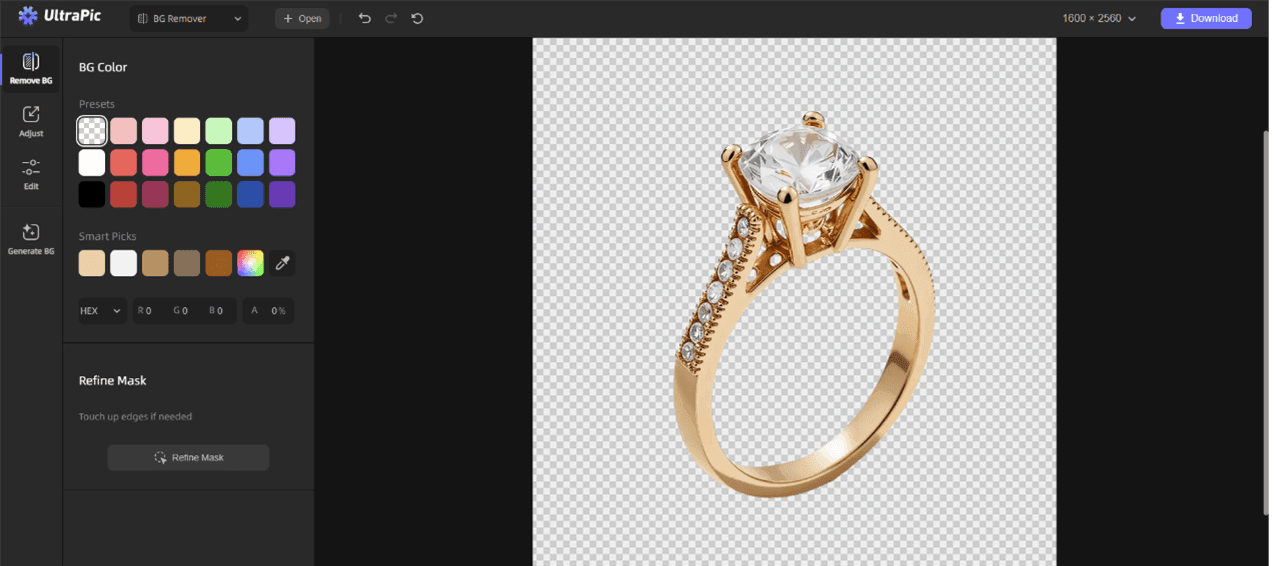
Step 3. Choose a white background option (#FFFFFF) to replace the removed background and create a new eBay photo with a white background.
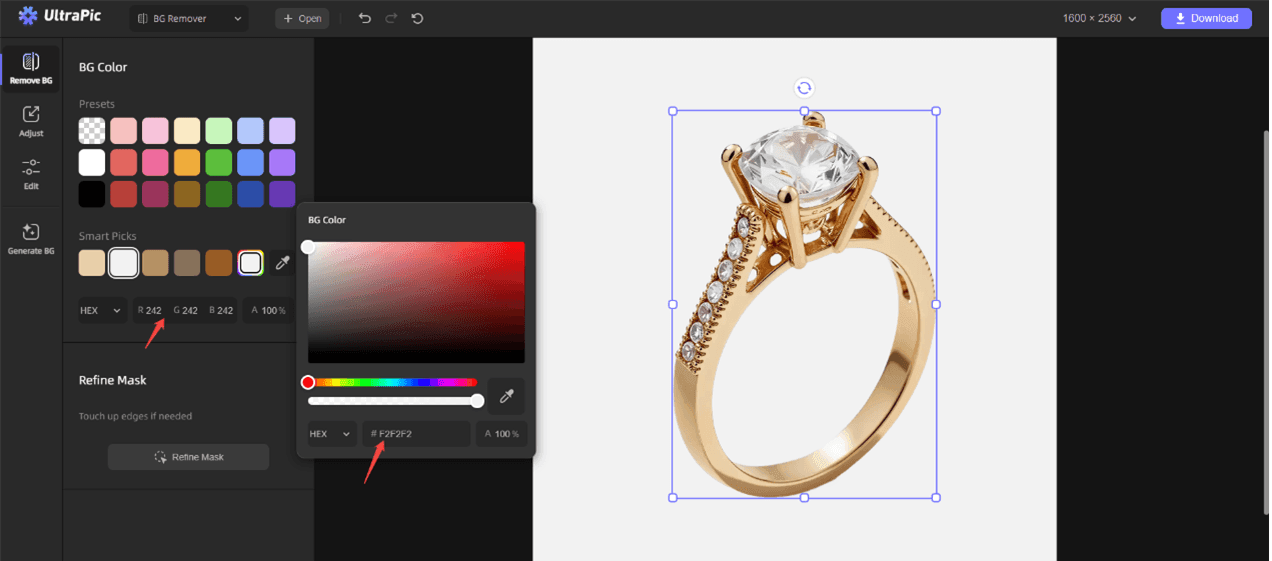
Step 4. Click Refine Mask to touch up the edges of the product and hit Edit to add a subtle shadow to make it look more natural.
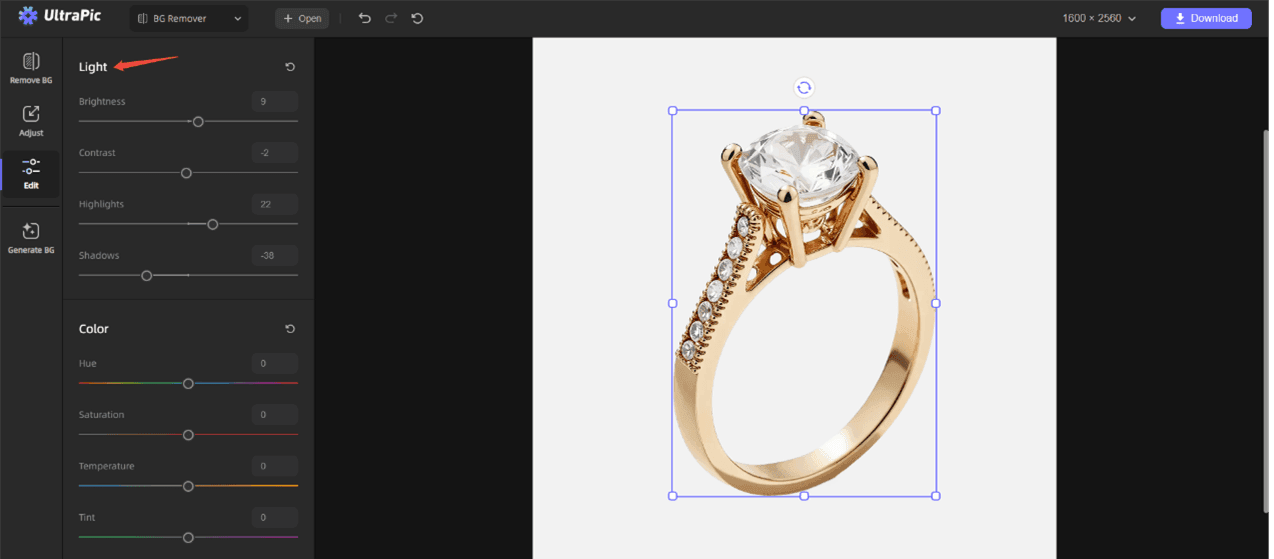
Step 5. Click Download to save the photo in high resolution.
Part 3. 8 Tips for Better eBay Product Photography
Creating high-performing e-commerce photos requires more than simply taking pictures. Small improvements in lighting, composition, and editing can significantly increase listing quality. Below are eight practical tips to improve your eBay product photos.
#1. Clean and prepare products before shooting
Before shooting, clean dust, fingerprints, wrinkles, or scratches from the item. A clean product looks more professional and reduces editing time later. For example, you can steam garments, remove lint, and shape sleeves properly; for electronics, you can wipe screens, polish surfaces, and untangle cables.
#2. Use a clean background
A plain white background keeps all focus on your product and meets eBay’s professional style guidelines. It makes your listing look clean, consistent, and trusted.
- Use white poster board, a table, or a portable light box.
- Avoid patterns, carpets, walls, or messy surfaces.
- White backgrounds also make colors look accurate and help eBay’s zoom feature work clearly.
- For small items, jewelry, or dark products, you can use light gray to avoid glare.
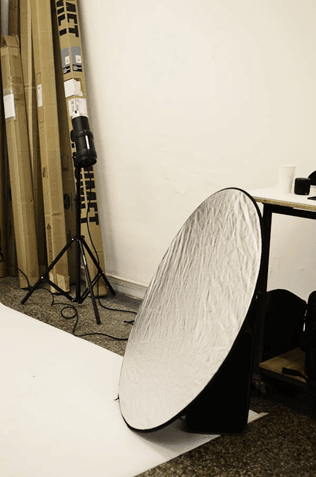
#3. Use soft, even lighting
Harsh flash creates bright spots, deep shadows, and washed-out colors - this makes products look cheap and untrustworthy.
- Best light, soft daylight near a window (not direct sun).
- Light should come from both sides to create even illumination.
- If indoors, use two desk lamps with soft white bulbs to avoid shadows.
- Correct lighting = true colors = fewer returns.
#4. Stabilize your camera
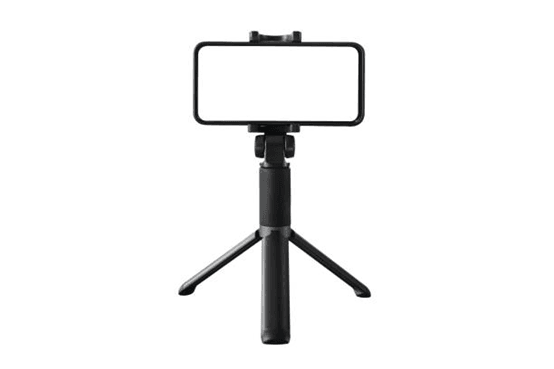
Even a small camera shake causes blurry photos. You can use a tripod or a steady surface to avoid blurry photos and improve image sharpness.
- A cheap smartphone tripod eliminates blur completely.
- If you don't have a tripod, place your phone on a stack of books or table.
- Use the timer function to avoid shaking when you tap the shutter.
- Sharp images = more sales, every single time.
#5. Capture multiple angles of the product
eBay allows up to 12 free photos - use them all! More angles = more trust.
- Show the full product first (main image).
- Then show back, sides, top, bottom, and inside.
- For clothing, show fabric, stitching, labels, tags, and logos.
- For electronics, show ports, buttons, screens, and condition.
- Buyers feel confident when they can "see everything."
#6. Fill the frame with the product
Buyers scroll quickly on eBay. Your product must be large, clear, and easy to see at a glance.
- Center your product and make it fill most of the frame.
- Do not leave large empty spaces around the item.
- Use a 1:1 square crop for eBay’s search and listing pages.
- This makes your listing stand out in search results.
#7. Edit gently to keep colors and condition real
Photo editing or photo retouching should improve clarity, not change the product.
- Adjust brightness, contrast, and white balance.
- Crop to clean up edges.
- Do not over-saturate, over-smooth, or use heavy filters.
- Do not add text, borders, logos, or watermarks -eBay may remove your listing.
Conclusion
Strong eBay product photography can dramatically influence how buyers perceive products and sellers online. In a marketplace where customers rely entirely on visuals before purchasing, high-quality images become one of the most powerful tools for increasing trust and boosting conversions.
Following eBay’s photo requirements is the first step toward creating professional listings. Clean backgrounds, accurate lighting, sharp focus, and multiple product angles all contribute to a stronger visual presentation.
At the same time, editing tools like UltraPic simplify the post-production process through AI-powered automation. Features such as one-click background removal and new background generation allow sellers to create polished ecommerce-ready images quickly and efficiently.

