

Profile Picture Background Remover - Free, Online, Simple to Use
Get the best profile picture background remover to remove, replace, or edit profile pic backgrounds easily, making your profile pics stand out on TikTok, YouTube, LinkedIn, and other social platforms.

By Jonna Updated on February 10, 2026


What Makes a Great Profile Picture?
Your profile picture is often the first thing people notice about you online. Whether it’s on LinkedIn, Instagram, X, Discord, a company website, or a dating app, that single image silently communicates who you are.
A great profile picture balances clarity, authenticity, and visual focus. It should look like you on a good day, not like a heavily filtered version of yourself. While facial expression and lighting matter, the background plays an equally important role- that’s why using a profile picture background remover has become one of the easiest and smartest ways to upgrade your online presence.
The background sets the tone. A cluttered room, busy street, or distracting object can pull attention away from your face. Even if the subject looks sharp, a noisy background weakens the overall image. Professional platforms tend to favor clean, minimal backgrounds. Social platforms allow more personality, but simplicity still wins. The goal is not to erase character, but to remove visual noise. A PFP background remover doesn’t change who you are, but it simply removes what doesn’t need to be there.
Free Online Profile Picture Background Remover - UltraPic
UltraPic is a free, online AI photo editing tool that is embedded with background removal. It works especially well for product photos and portraits/profile photos, making it an ideal option for profile picture removing background for everyday users.

Remove Backgrounds from Images in Seconds
Get clean, conversion-ready product photos instantly with AI.
- 100% automatic background removal for profile pics
- Preserve every detail, keep edges sharp and clean
- Make your profile picture look well-lit and sharp
- Save hours of manual editing using our AI tool now


What makes UltraPic stand out as a reliable PFP background remover is its simplicity. Its AI analyzes edges, detects facial contours, and separates the subject from the background with impressive accuracy. Hair, glasses, and soft shadows are handled better than many basic tools. And it comes with AI-improved image quality tools to increase photo resolution easily. Here are some features of UltraPic:
- AI-powered subject detection - Automatically identifies the person in the photo and separates them from the background.
- Clean edge handling - Preserves hairlines, ears, and shoulders without jagged edges or cutoffs.
- Transparent background output - Exports images as transparent PNGs, perfect for any platform.
- Fast processing - Background removal typically completes in seconds, and 1-click workflow is designed for beginners.
- Browser-based convenience - Online access, works on Windows, macOS, tablet, and various devices.
How to Remove Background Profile Picture Effortlessly
With the profile photo background remover UltraPic, removing a background doesn’t need to be complicated. Below is a simple step-by-step process:
Step 1. Go to profile picture background remover UltraPic, upload a clear photo with good lighting and visible facial details.
📢Note: You can also select Batch Editor to remove multiple images at once, reducing the time spent dealing with all your photos for listing e-commerce products.
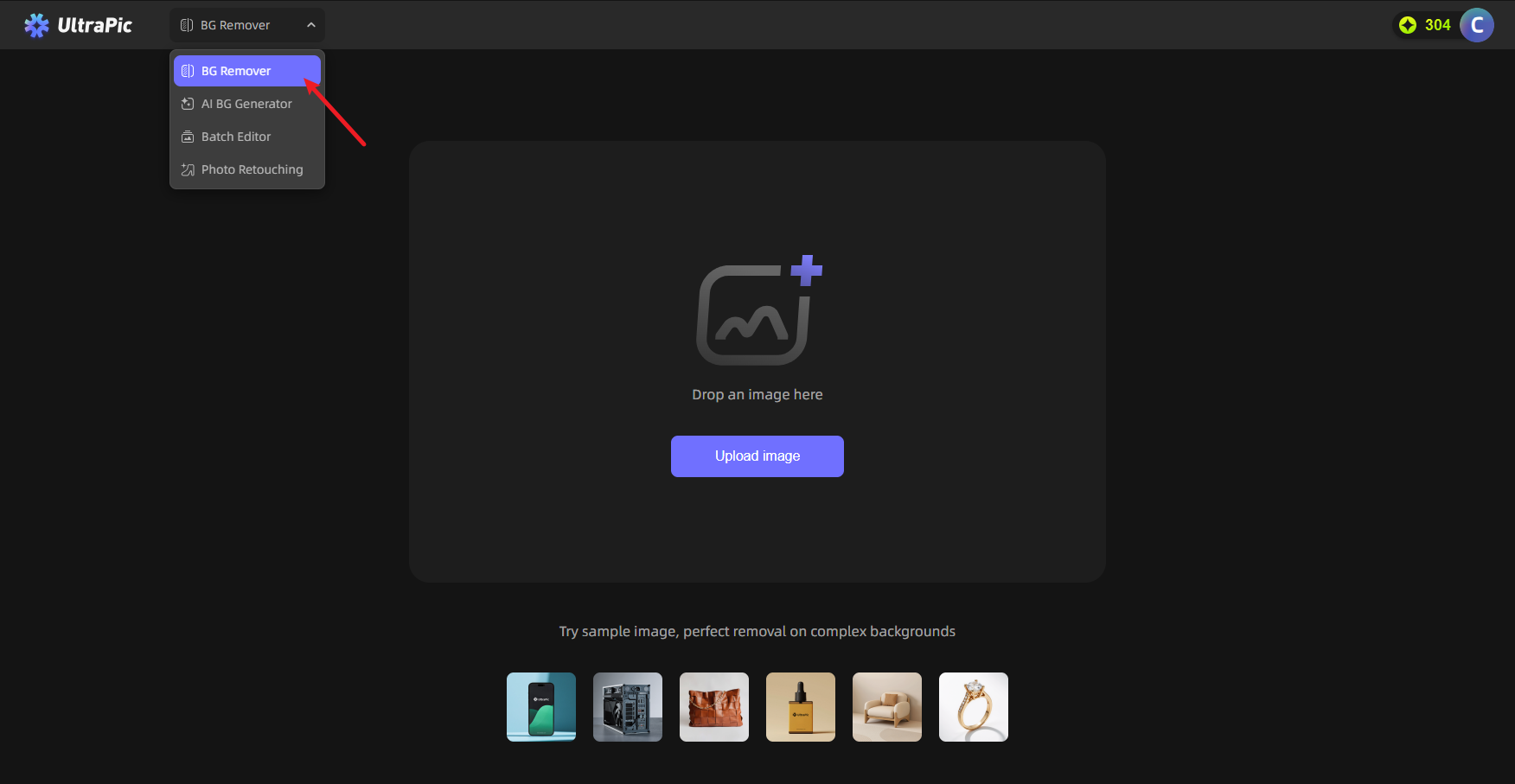
Step 2. Its AI automatically removes the background for profile picture, leaving a transparent background. The, you can simple select a clean background color or keep it transparent.
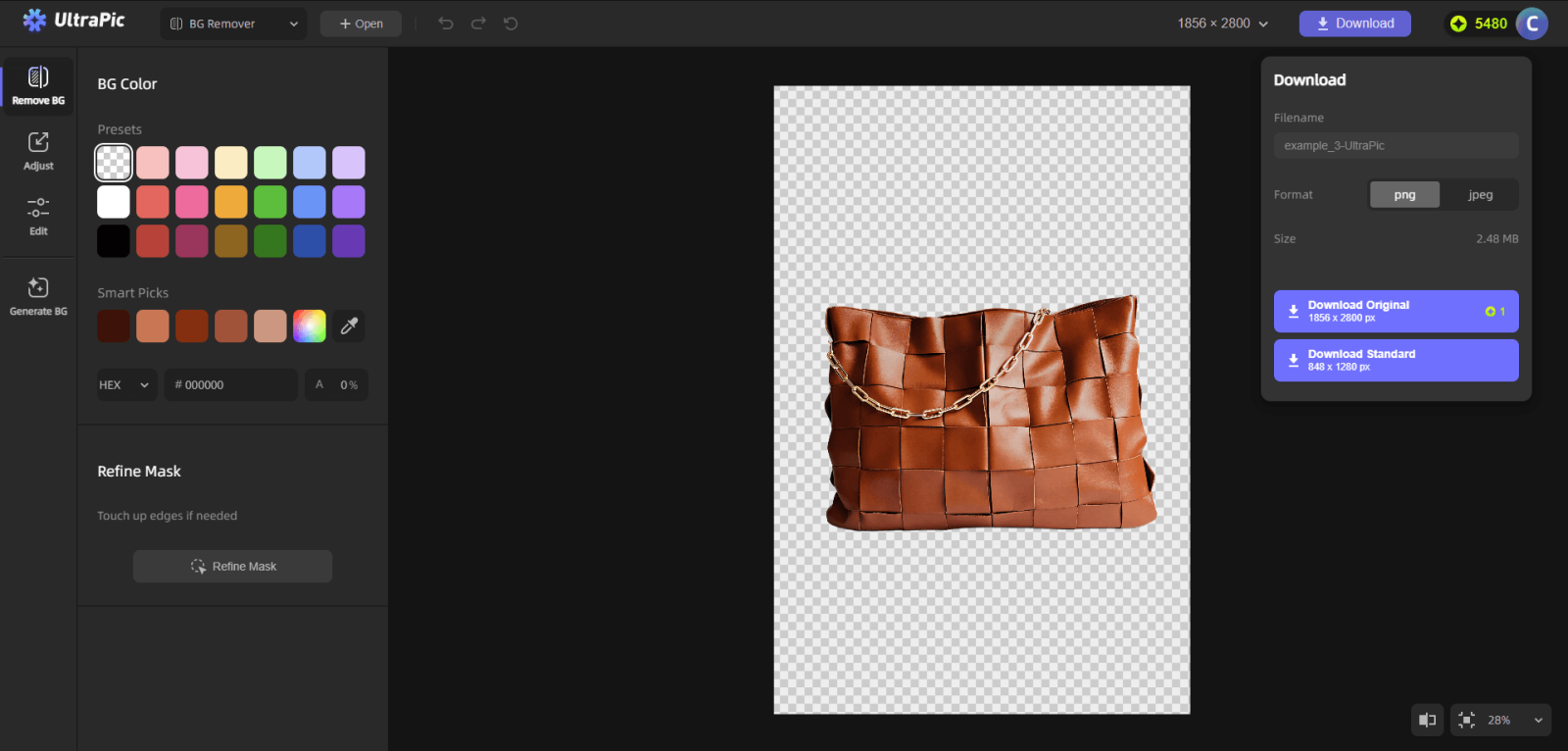
Tips:
✅ You can zoom in around the hairline, shoulders, and edges of glasses to make sure all details are perfect. And the Refine Mask function is offered to perfect hair strands, clothing edges, or product outlines.
✅ If you wish to change the background, go to Generate GB, and replace it per your needs.
Step 3. Click Download to export the finished image.
FAQs on Profile Picture Background Remover
#1. What is the best background for a profile picture?
The best background depends on the platform, but simplicity almost always wins. Neutral backgrounds keep attention on your face and avoid visual distractions.
For professional platforms, solid white, gray, or light-colored backgrounds are ideal. For social platforms, soft gradients or lightly blurred scenes can work, as long as they don’t compete with your face. A profile picture background remover helps you test different backgrounds quickly without retaking photos.
#2. How to change profile photo background?
Changing a background is simple with an online tool. Upload your photo to a profile picture background remover, let the AI remove the existing background, then replace it with a new one or leave it transparent.
The key is to choose a background that complements your skin tone and clothing. High contrast helps your face stand out, but extreme contrast can look harsh.
#3. What makes a good background photo?
A good background is clean, consistent, and intentional. It should not tell a story louder than the subject. Good backgrounds typically share these traits:
- Minimal visual elements
- Soft or neutral colors
- Even lighting
- No sharp lines cutting through the subject
Conclusion
Your profile picture is often the first impression you make online. A clean, well-chosen background can dramatically improve how that impression lands. Using a profile picture background remover removes unwanted objects from photo and puts the focus where it belongs.
Free online tools like UltraPic make this process accessible to everyone. No design skills. No software downloads. Just fast, accurate background removal that fits modern digital needs. Whether you’re updating a professional headshot or refreshing a social avatar, background removal is one of the simplest upgrades you can make.

