

Amazon Product Background Remove - Best Free Tool & How-to Guide
Learn the best free Amazon product background remover tool and Amazon product photography tips to boost your sales.

By Jonna Updated on February 10, 2026


Why Background Matters for Amazon Product Photography?
In the competitive world of e-commerce, visuals sell first. Before customers read titles or bullet points, they judge a product by its image. That is why Amazon product background removal has become a critical step for sellers who want higher click-through rates and better conversions. Amazon enforces strict image guidelines, and the background is one of the most important factors.

Amazon’s main image guidelines require a pure white background (RGB 255,255,255). A clean background does more than satisfy policy. It influences buyer psychology, improves compliance, and builds trust and professionalism. When shoppers see a product floating cleanly, their focus stays on shape, texture, and details. There are no distractions, no visual noise, just the product.
Best Free Online Amazon Product Background Remover - UltraPic
UltraPic is a free, AI-powered online tool designed to remove and replace backgrounds with speed and accuracy. It is especially effective for e-commerce sellers who need clean cutouts without complex editing software.
Unlike traditional photo editors, UltraPic, an AI image editor, relies on trained AI models to detect product edges automatically. It recognizes shapes, contours, shadows, and boundaries, then separates the product from the background in seconds. The result is a smooth, professional cutout suitable for Amazon listings. For sellers managing dozens or hundreds of SKUs, speed matters. UltraPic allows you to batch process images quickly while maintaining consistent quality.
Key features of UltraPic product background removal include:
📢 1-click background removal - With just a single click, it removes the background cleanly and precisely. There’s no complicated setup, no layers to manage, and no technical learning curve.
📢 High-precision edge handling - This product background changer with AI excels at preserving details such as hair, fur, transparent objects, and complex edges. This ensures natural-looking cutouts without jagged lines or blurry borders
📢 Custom background replacement - After removing the background, you can easily change bg with a solid color, transparent background, or a custom image using a prompt or a reference image.
📢 Batch background removal - It supports batch processing, allowing you to remove backgrounds from multiple images at once.
📢 High-resolution output - Images are processed within seconds, and they maintain the original image quality and resolution after background removal.

Remove Backgrounds from Images in Seconds
Get clean, conversion-ready product photos instantly with AI.
- 100% automatic background removal for product pics
- Preserve every detail, keep edges sharp and clean
- Make product listings look polished to boost sales
- Save hours of manual editing using our AI tool now


How to Remove Background for Amazon Product Photos
Removing a background for Amazon does not need to be complicated. With the background remover for AmazonUltraPic, you can prepare listing-ready images efficiently.
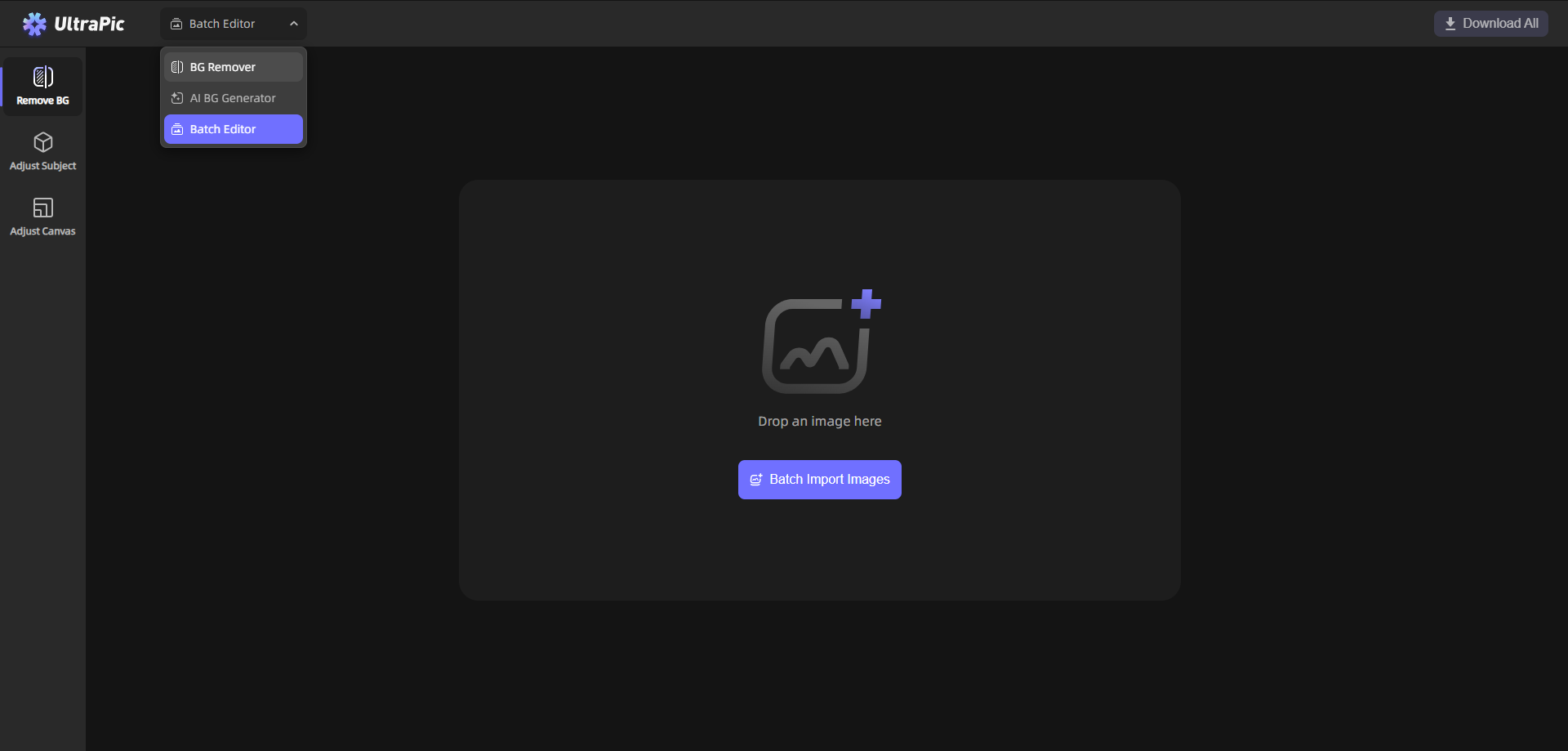
Step 1. Open UltraPic and click Upload image or drop an image to upload for editing.
👉Tip: To perform Amazon product background removing for multiple images, select the Batch Editor tool at the top (or go to the Batch Editor page direcctly).
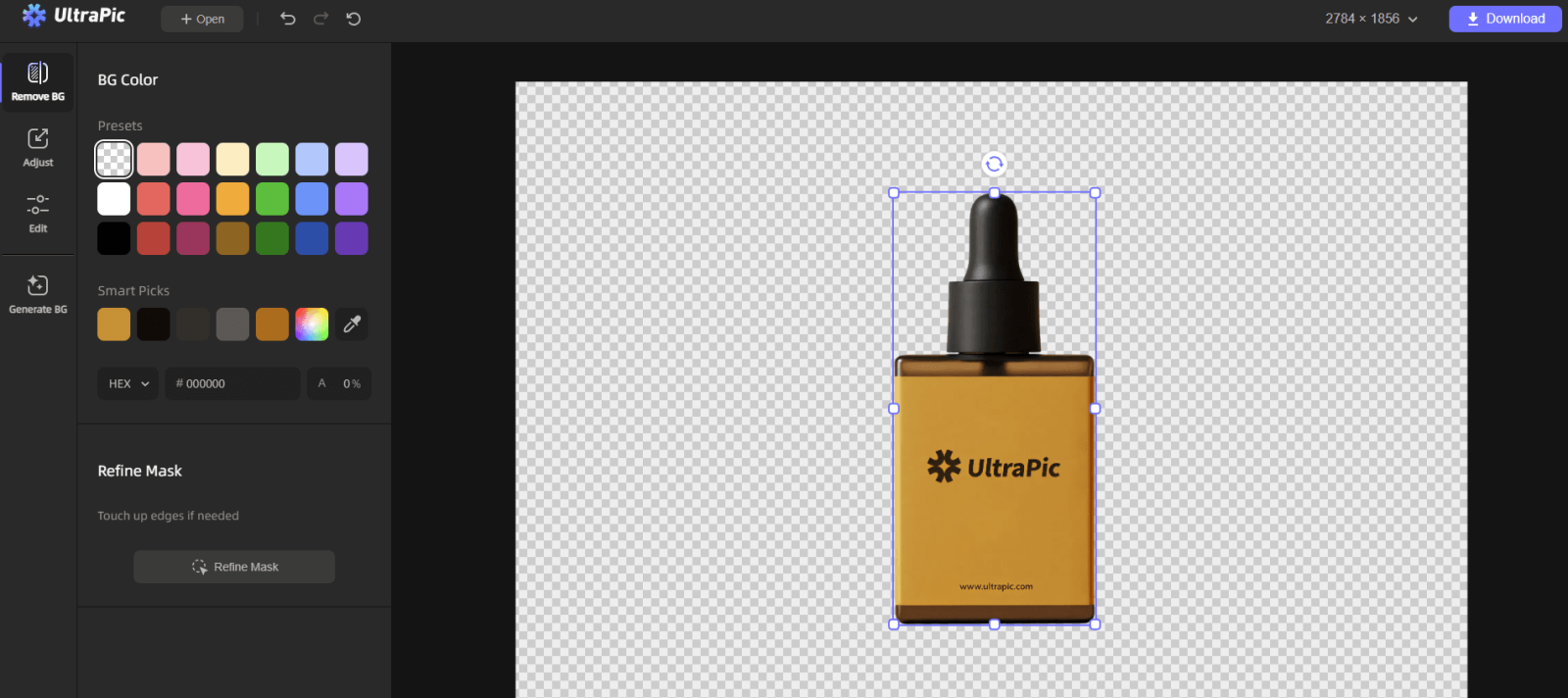
Step 2. This tool will automatically detect and remove the background, leaving only a transparent result. You can use Refine Mask (if needed) to perfect hair strands, clothing edges, or product outlines.
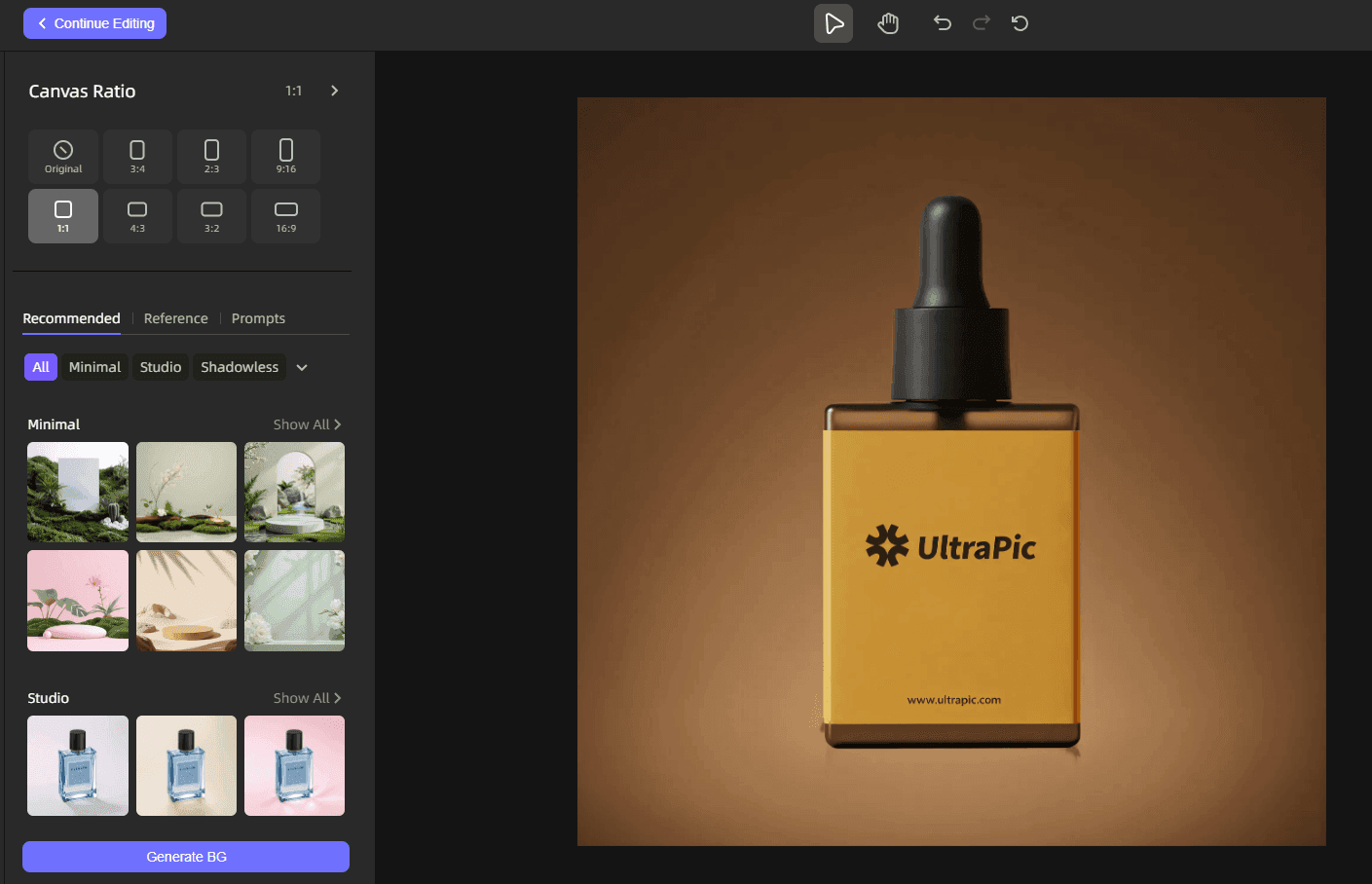
Step 3. (Optional) Go to Generate BG to replace the background with a solid color, a professional studio look, or a custom background. Finally, click Download to export the product image.
Bonus: How to Take Product Pictures for Amazon
Background removal works best when the original photo is well taken. Poor lighting, cluttered scenes, or blurry shots make e-commerce product photography with AI harder and results less consistent. Here are practical tips for Amazon product photography at home:
1. Follow Amazon Image Requirements First
Before touching a camera, make sure you understand Amazon’s rules. Your main product image must have a pure white background, show only the product being sold, and fill at least 85% of the frame. Ignoring these basics can get your listing suppressed, no matter how good the photo looks. And it is suggested to shoot larger than needed so you can crop later without losing quality.
2. Use Natural, Soft, Even Lighting
Lighting can make or break a product photo. Harsh shadows or yellow lighting make products look cheap and untrustworthy. Natural light near a window works well, but avoid direct sunlight. If possible:
- Use two light sources, one on each side
- Diffuse light with a white curtain or softbox
- Keep lighting consistent across all images
3. Use a Tripod for Sharp Photos
Even a small camera shake can make images look unprofessional. A tripod keeps your shots crisp and consistent - especially important for close-ups.
4. Show the Product Clearly From Multiple Angles
Capture front, back, side, and detail shots. Buyers want to understand exactly what they’re getting, and clear visuals help reduce returns.
5. Edit Lightly, Don't Overdo It
Adjust brightness, contrast, and sharpness, but keep the product looking real. Over-editing may lead to rejected images.
Summary
That’s all about Amazon product background remove. On this page, we have included the free online background remover - UltraPicand how to use it for background removal with one click. Also, you can use it as a background generator to quickly and easily create a custom backdrop for any project in just seconds! Try it now to remove the product photo background or edit your photo easily!

